Tool Use:讓 AI 成為你應用的大腦

本篇是「Claude API & Agent SDK 完全指南」系列的第 4 / 15 篇。你可以從系列總覽開始閱讀,也可以直接接著看本文。
前三章,Claude 一直是個「說話的機器」。
你問它問題,它用文字回答。功能強大,但有一個根本的限制:Claude 只知道訓練資料裡有的東西。它不知道今天的股價,不知道你的資料庫裡有什麼,不知道你的訂單系統的狀態。
Tool Use(Anthropic 的官方名稱,其他 LLM 廠商通常叫 Function Calling)改變了這一切。
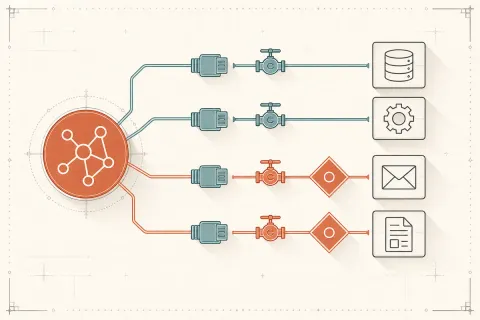
有了 Tool Use,Claude 可以「請求」呼叫你定義的函數,取得即時的外部資訊,然後根據這些資訊給出有意義的回答。更重要的是,Claude 可以決定什麼時候呼叫工具,以及如何解讀工具的結果。
這讓 Claude 從「問答機器」升級為「AI Agent 的大腦」。
核心概念:Tool Use 的流程
先理解整個流程,再看細節:
你 → [請求 + 工具定義] → Claude
Claude → [決定呼叫哪個工具,帶什麼參數] → 你
你 → [執行工具,取得結果] → Claude
Claude → [根據工具結果,給出最終回答] → 你關鍵在第二步:Claude 不會幫你執行工具。它只是告訴你「我想呼叫 X 工具,參數是 Y」。你負責實際執行,把結果傳回去。這個設計讓你完全掌控安全性和執行邏輯。
整個流程可能要好幾輪 API 呼叫(呼叫工具 → 回傳結果 → 再呼叫工具 → …),直到 Claude 認為它有足夠資訊給出最終答案。
定義工具
工具的定義格式如下:
tools = [
    {
        "name": "get_weather",
        "description": "取得指定城市目前的天氣狀況。當使用者詢問天氣或計劃需要考慮天氣的活動時使用。不要用於歷史天氣資料或天氣預報超過 7 天的查詢。",
        "input_schema": {
            "type": "object",
            "properties": {
                "city": {
                    "type": "string",
                    "description": "城市名稱,例如 '台北', 'Tokyo', 'New York'"
                },
                "unit": {
                    "type": "string",
                    "enum": ["celsius", "fahrenheit"],
                    "description": "溫度單位,預設使用 celsius"
                }
            },
            "required": ["city"]
        }
    }
]
每個工具有三個必填欄位:
name:工具的唯一識別名稱,只能包含字母、數字和底線description:告訴 Claude 這個工具是什麼、什麼時候應該用(非常重要!)input_schema:JSON Schema 格式的參數定義
如何設計好的 Tool Description
這是 Tool Use 最容易被忽略、但最關鍵的部分。
我見過太多開發者把 description 寫成「This tool gets weather data」然後抱怨 Claude 呼叫工具的時機不準確。
一個好的 tool description 應該告訴 Claude:
- 這個工具做什麼(簡短說明)
- 什麼時候應該用(觸發條件)
- 什麼時候不應該用(避免誤用)
- 輸入的限制(城市名稱要用哪種格式?日期要怎麼傳?)
- 工具的局限性(只有台灣的資料?只能查今天?)
差的 description:
"description": "Gets weather information."好的 description:
"description": "取得指定城市的即時天氣資訊,包含溫度、濕度和天氣狀況。
當使用者詢問某地的當前天氣、或需要根據天氣做決策時使用。
注意:只支援當前天氣,不支援天氣預報或歷史天氣。
城市名稱請用常見的英文或中文名稱,例如 'Taipei' 或 '台北'。"
同樣的道理也適用於每個 property 的 description。Claude 是用 description 來理解要傳什麼值,而不是靠變數名稱。
完整的 Python 執行循環
這是 Tool Use 最重要的部分:你需要實作一個「工具執行循環」,讓 Claude 可以多次呼叫工具。
import anthropic
import json

client = anthropic.Anthropic()

# 定義工具的具體實作
def get_weather(city: str, unit: str = "celsius") -> dict:
    """模擬天氣 API(實際應用中這裡會呼叫真正的 API)"""
    weather_data = {
        "台北": {"temp": 28, "humidity": 78, "condition": "多雲"},
        "Tokyo": {"temp": 22, "humidity": 65, "condition": "晴天"},
        "New York": {"temp": 15, "humidity": 55, "condition": "陰天"},
    }
    data = weather_data.get(city, {"temp": 20, "humidity": 60, "condition": "未知"})
    temp = data["temp"] if unit == "celsius" else data["temp"] * 9/5 + 32
    return {
        "city": city,
        "temperature": f"{temp}°{'C' if unit == 'celsius' else 'F'}",
        "humidity": f"{data['humidity']}%",
        "condition": data["condition"]
    }

def search_database(query: str, limit: int = 5) -> list:
    """模擬資料庫查詢"""
    # 實際應用中這裡會查詢真實的資料庫
    return [{"id": i, "title": f"結果 {i}: {query}", "score": 1.0 - i * 0.1}
            for i in range(1, min(limit + 1, 6))]

# 工具映射:名稱 → 函數
TOOLS = {
    "get_weather": get_weather,
    "search_database": search_database,
}

# 工具定義
TOOL_DEFINITIONS = [
    {
        "name": "get_weather",
        "description": "取得指定城市目前的天氣。當使用者詢問天氣時使用。",
        "input_schema": {
            "type": "object",
            "properties": {
                "city": {"type": "string", "description": "城市名稱"},
                "unit": {
                    "type": "string",
                    "enum": ["celsius", "fahrenheit"],
                    "description": "溫度單位"
                }
            },
            "required": ["city"]
        }
    },
    {
        "name": "search_database",
        "description": "在知識庫中搜尋相關文章和資訊。當需要查找特定主題的資料時使用。",
        "input_schema": {
            "type": "object",
            "properties": {
                "query": {"type": "string", "description": "搜尋關鍵字"},
                "limit": {
                    "type": "integer",
                    "description": "最多回傳幾筆結果,預設 5",
                    "default": 5
                }
            },
            "required": ["query"]
        }
    }
]


def run_agent(user_message: str) -> str:
    """執行一個完整的 agent 循環"""
    messages = [{"role": "user", "content": user_message}]

    while True:
        # 呼叫 Claude
        response = client.messages.create(
            model="claude-sonnet-4-6",
            max_tokens=4096,
            tools=TOOL_DEFINITIONS,
            messages=messages
        )

        # 把 Claude 的回應加入對話歷史
        messages.append({"role": "assistant", "content": response.content})

        # 檢查停止原因
        if response.stop_reason == "end_turn":
            # Claude 認為任務完成,取出文字回應
            for block in response.content:
                if block.type == "text":
                    return block.text
            return ""

        elif response.stop_reason == "tool_use":
            # Claude 要呼叫工具
            tool_results = []

            for block in response.content:
                if block.type == "tool_use":
                    tool_name = block.name
                    tool_input = block.input
                    tool_use_id = block.id

                    print(f"  [工具呼叫] {tool_name}({tool_input})")

                    # 執行工具
                    try:
                        tool_fn = TOOLS[tool_name]
                        result = tool_fn(**tool_input)
                        tool_results.append({
                            "type": "tool_result",
                            "tool_use_id": tool_use_id,
                            "content": json.dumps(result, ensure_ascii=False)
                        })
                    except Exception as e:
                        # 工具執行失敗,傳回錯誤資訊
                        tool_results.append({
                            "type": "tool_result",
                            "tool_use_id": tool_use_id,
                            "content": f"工具執行失敗:{str(e)}",
                            "is_error": True
                        })

            # 把工具結果加入對話歷史
            messages.append({"role": "user", "content": tool_results})

        else:
            # 其他停止原因(max_tokens 等)
            break

    return "Agent 執行未正常完成"


# 使用範例
if __name__ == "__main__":
    print("問題:台北現在的天氣如何?適合出門騎腳踏車嗎?")
    result = run_agent("台北現在的天氣如何?適合出門騎腳踏車嗎?")
    print(f"\nClaude 的回答:{result}")

    print("\n" + "="*50 + "\n")

    print("問題:幫我查一下關於 Astro.js 的資料,然後告訴我台北的天氣")
    result = run_agent("幫我查一下關於 Astro.js 的資料,然後告訴我台北的天氣")
    print(f"\nClaude 的回答:{result}")
Parallel Tool Use(同時呼叫多個工具)
當 Claude 判斷需要呼叫多個不相關的工具時,它可以在同一個回應裡要求同時呼叫它們,而不是一個一個等待。
# Claude 可能回傳這樣的 content(包含多個 tool_use blocks)
response.content = [
    ToolUseBlock(id="tu_001", type="tool_use", name="get_weather",
                 input={"city": "台北"}),
    ToolUseBlock(id="tu_002", type="tool_use", name="get_weather",
                 input={"city": "Tokyo"}),
    ToolUseBlock(id="tu_003", type="tool_use", name="search_database",
                 input={"query": "最佳旅遊季節"})
]你的工具執行循環應該能處理這種情況,並且真正平行地執行這些工具(如果可能的話):
import asyncio

async def execute_tools_parallel(tool_blocks: list) -> list:
    """平行執行多個工具"""
    async def execute_one(block):
        tool_fn = TOOLS[block.name]
        # 如果工具是 async 的就 await,否則用 run_in_executor
        if asyncio.iscoroutinefunction(tool_fn):
            result = await tool_fn(**block.input)
        else:
            loop = asyncio.get_event_loop()
            result = await loop.run_in_executor(None, lambda: tool_fn(**block.input))
        return {
            "type": "tool_result",
            "tool_use_id": block.id,
            "content": json.dumps(result, ensure_ascii=False)
        }

    return await asyncio.gather(*[execute_one(b) for b in tool_blocks])
tool_choice 參數
tool_choice 讓你控制 Claude 是否必須呼叫工具:
# 預設:Claude 自己決定要不要用工具
tool_choice = {"type": "auto"}

# 強制 Claude 一定要呼叫某個工具
tool_choice = {"type": "tool", "name": "get_weather"}

# 強制 Claude 一定要呼叫(任何)工具
tool_choice = {"type": "any"}
何時使用 type: "any" 或 type: "tool"?
當你的應用流程要求 Claude 一定要呼叫工具時。例如:你建了一個「結構化資料提取器」,每次呼叫都必須回傳 JSON 格式的結構化資料,你就可以定義一個 extract_data 工具並設定 tool_choice: {type: "tool", name: "extract_data"}。
這是實現**結構化輸出(Structured Output)**的最可靠方法——比在 system prompt 裡叫 Claude「請用 JSON 回應」可靠得多。
用 Tool Use 實現 Structured Output
這是我在生產環境最常用的技巧之一。
假設你要提取使用者訊息裡的聯絡資訊:
# 定義一個「假工具」,實際上是用來強制結構化輸出
extract_contact_tool = {
    "name": "save_contact",
    "description": "儲存提取到的聯絡人資訊",
    "input_schema": {
        "type": "object",
        "properties": {
            "name": {"type": "string", "description": "姓名"},
            "email": {"type": "string", "description": "電子郵件"},
            "phone": {"type": "string", "description": "電話號碼"},
            "company": {"type": "string", "description": "公司名稱"},
        },
        "required": ["name"]
    }
}

def extract_contact_info(text: str) -> dict:
    response = client.messages.create(
        model="claude-sonnet-4-6",
        max_tokens=1024,
        tools=[extract_contact_tool],
        tool_choice={"type": "tool", "name": "save_contact"},  # 強制呼叫
        messages=[{
            "role": "user",
            "content": f"請從以下文字中提取聯絡資訊:\n\n{text}"
        }]
    )

    # 取得 tool_use block 的 input(就是我們要的結構化資料)
    for block in response.content:
        if block.type == "tool_use" and block.name == "save_contact":
            return block.input  # 這是一個 dict,型別已驗證

    raise ValueError("未能提取聯絡資訊")

# 使用
contact = extract_contact_info(
    "嗨,我是王小明,可以聯絡我:ming@example.com 或 0912-345-678,我在 Acme 公司工作。"
)
print(contact)
# {'name': '王小明', 'email': 'ming@example.com', 'phone': '0912-345-678', 'company': 'Acme'}
這個方法的優點:
- 回應格式保證符合你的 schema(Anthropic 驗證過)
- 比解析自由格式文字可靠
- 比在 prompt 裡要求 JSON 更穩定(沒有 markdown code block 的問題)
常見 Tool Use 場景
資料庫查詢
{
    "name": "query_orders",
    "description": "查詢訂單資訊。當使用者詢問自己的訂單狀態、出貨進度時使用。只能查詢已登入使用者自己的訂單。",
    "input_schema": {
        "type": "object",
        "properties": {
            "order_id": {"type": "string", "description": "訂單編號(格式:ORD-XXXXXX)"},
            "status_filter": {
                "type": "string",
                "enum": ["all", "pending", "shipped", "delivered", "cancelled"],
                "description": "篩選訂單狀態"
            }
        }
    }
}
外部 API 呼叫
{
    "name": "search_products",
    "description": "搜尋商品目錄。當使用者想找特定商品時使用。支援關鍵字搜尋和分類篩選。",
    "input_schema": {
        "type": "object",
        "properties": {
            "query": {"type": "string", "description": "搜尋關鍵字"},
            "category": {"type": "string", "description": "商品分類"},
            "max_price": {"type": "number", "description": "最高價格(台幣)"},
            "in_stock_only": {"type": "boolean", "description": "是否只顯示有庫存的商品"}
        },
        "required": ["query"]
    }
}
計算工具
{
    "name": "calculate",
    "description": "執行數學計算。當使用者詢問需要精確計算的數學問題時使用,例如利率計算、折扣計算、單位換算等。不要用於簡單的心算問題。",
    "input_schema": {
        "type": "object",
        "properties": {
            "expression": {
                "type": "string",
                "description": "數學表達式,例如 '(100000 * 0.03) / 12' 或 '25 * 4 + 10'"
            }
        },
        "required": ["expression"]
    }
}
tool_result 的錯誤處理
當工具執行失敗時,你應該傳回一個帶有 is_error: true 的 tool_result:
# 正常結果
{
    "type": "tool_result",
    "tool_use_id": "tu_001",
    "content": json.dumps({"weather": "晴天", "temp": "28°C"})
}

# 錯誤結果
{
    "type": "tool_result",
    "tool_use_id": "tu_001",
    "content": "查詢失敗:城市 'Xanadu' 不在支援的城市列表中",
    "is_error": True
}
Claude 看到 is_error: true 後,通常會這樣回應使用者:「很抱歉,我嘗試查詢 Xanadu 的天氣,但系統回報該城市不在支援範圍內。請問您是指其他城市嗎?」
這比直接讓工具例外(exception)崩潰整個 agent 循環優雅得多。
Token 成本計算
Tool Use 有一些額外的 token 成本,需要注意:
- 工具定義本身消耗 input tokens:你的 tool definition JSON 越詳細,消耗越多。每次 API 呼叫都要傳工具定義,所以這個成本是固定的
- tool_use block 消耗 output tokens:Claude 生成的工具呼叫請求(包含工具名稱和參數)算在 output tokens
- tool_result 消耗 input tokens:你傳回的工具結果算在下一輪的 input tokens
實際測試中,一個包含 3 個工具定義的請求,光是工具定義就大約消耗 300-500 input tokens。如果你有很多工具(10+),工具定義的 token 成本可能相當可觀。
優化策略:
- 只在這個對話確實需要某個工具時才傳入該工具定義
- 保持工具定義的 description 簡潔但充分(不要超長)
- 對於不太常用的工具,考慮動態載入而不是每次都傳
下一步
Tool Use 讓你的 AI 應用可以存取外部世界的資訊,解決了「Claude 只知道訓練資料」的根本限制。搭配工具執行循環,你可以建立真正能做事的 AI Agent。
但有時候,使用者提出的問題非常複雜——需要多步驟推理、涉及數學計算、或者需要仔細分析各種可能性。預設的 Claude 很聰明,但它的「思考」是在生成回應的同時進行的,沒有機會「想清楚再說」。
下一章,我們來看 Extended Thinking——讓 Claude 在回答之前先花時間深度思考,解決那些最困難的推理任務。