Eloquent ORM:不寫 SQL 也能操作資料庫的 Laravel 之道

本篇是「PHP/Laravel 完全指南」系列的第 4 / 15 篇。你可以從系列總覽開始閱讀,也可以直接接著看本文。
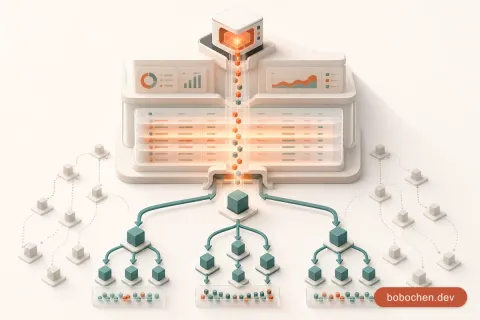
每個 Web 應用程式的核心都是資料。使用者註冊帳號、建立團購、加入訂單——這些動作最終都要寫進資料庫裡。傳統做法是手寫 SQL,但 SQL 散落在程式碼各處會讓維護變成噩夢。Laravel 的解法叫做 Eloquent ORM:讓你用優雅的 PHP 語法操作資料庫,每張資料表對應一個 Model 類別,每一列資料就是一個物件。
Eloquent 的強大不只在於少寫 SQL。它把資料表之間的關聯(一對多、多對多)變成物件屬性,讓你用 $user->orders 就能拿到某個使用者的所有訂單,完全不需要手寫 JOIN。搭配 Migration(用程式碼管理資料表結構)和 Factory/Seeder(自動產生測試資料),你的資料層從開發到測試都有完整的工具鏈支撐。
這一章我們要為揪好買設計完整的資料結構:使用者、團購、商品、參與者。你會學到 Migration 怎麼寫、Model 怎麼定義、關聯怎麼設定、CRUD 怎麼操作。讀完之後,揪好買的資料骨架就搭好了,後面的章節只需要在上面蓋 UI 和業務邏輯。
開始用 Eloquent ORM 前:資料庫設定(MySQL / SQLite)
上一章提過,Laravel 12 預設用 SQLite——零設定、開箱即用。打開 .env 看看:
版本說明:本系列以 Laravel 12 為基準撰寫。Laravel 13 已於 2026 年 3 月 17 日正式發布(最低需求 PHP 8.3),是目前的最新主版本;其升級路徑幾乎沒有破壞性變更,本文的 Eloquent、Migration 範例同樣適用 Laravel 13,直接照做即可。
DB_CONNECTION=sqlite
# DB_HOST=127.0.0.1
# DB_PORT=3306
# DB_DATABASE=laravel
# DB_USERNAME=root
# DB_PASSWORD=
SQLite 的資料庫就是一個檔案 database/database.sqlite,開發階段用它非常方便。
如果你想用 MySQL 或 PostgreSQL,改一下 .env:
# MySQL
DB_CONNECTION=mysql
DB_HOST=127.0.0.1
DB_PORT=3306
DB_DATABASE=jiu_hao_mai
DB_USERNAME=root
DB_PASSWORD=secret

# PostgreSQL
DB_CONNECTION=pgsql
DB_HOST=127.0.0.1
DB_PORT=5432
DB_DATABASE=jiu_hao_mai
DB_USERNAME=postgres
DB_PASSWORD=secret
改完之後清一下 config 快取:
php artisan config:clear建議: 開發階段用 SQLite 就好,省掉裝 MySQL 的麻煩。等到部署正式環境再切換——Eloquent 的程式碼完全不用改,只動
.env設定。
跨 ORM 對照
| 概念 | Laravel (Eloquent) | Django (Python) | Sequelize (Node.js) | Prisma (Node.js) |
|---|---|---|---|---|
| Model 定義 | PHP class | Python class | JS class / define | Schema file |
| Migration | PHP class | Python file | JS file | Schema + migrate |
| 查詢語法 | User::where(...) | User.objects.filter(...) | User.findAll({where: ...}) | prisma.user.findMany({where: ...}) |
| 關聯 | hasMany() / belongsTo() | ForeignKey / ManyToMany | hasMany / belongsTo | @relation |
Migration:用程式碼管理資料表結構
Migration 就是資料表的版本控制——用程式碼定義資料表結構,團隊裡每個人跑一次 migrate 就能得到一模一樣的資料庫。不用再傳 SQL dump,也不用手動對 schema。
建立 Migration
php artisan make:migration create_products_table這會在 database/migrations/ 產生一個帶時間戳的檔案:
<?php

use Illuminate\Database\Migrations\Migration;
use Illuminate\Database\Schema\Blueprint;
use Illuminate\Support\Facades\Schema;

return new class extends Migration
{
    public function up(): void
    {
        Schema::create('products', function (Blueprint $table) {
            $table->id();                          // bigint unsigned auto increment PK
            $table->string('name');                // varchar(255)
            $table->text('description')->nullable(); // text, 可為 null
            $table->integer('price');              // int(存整數,以「分」為單位避免浮點數問題)
            $table->string('image')->nullable();   // 商品圖片路徑
            $table->boolean('is_active')->default(true);
            $table->timestamps();                  // created_at + updated_at
        });
    }

    public function down(): void
    {
        Schema::dropIfExists('products');
    }
};
up() 定義「建立時做什麼」,down() 定義「回滾時做什麼」。
常用欄位型別
| 方法 | SQL 型別 | 用途 |
|---|---|---|
$table->id() | BIGINT UNSIGNED AI PK | 主鍵 |
$table->string('name') | VARCHAR(255) | 短字串 |
$table->string('code', 10) | VARCHAR(10) | 指定長度 |
$table->text('body') | TEXT | 長文字 |
$table->integer('qty') | INT | 整數 |
$table->unsignedInteger('qty') | INT UNSIGNED | 非負整數 |
$table->decimal('price', 10, 2) | DECIMAL(10,2) | 精確小數 |
$table->boolean('active') | TINYINT(1) | 布林值 |
$table->date('birth_date') | DATE | 日期 |
$table->dateTime('confirmed_at') | DATETIME | 日期時間 |
$table->timestamp('verified_at') | TIMESTAMP | 時間戳 |
$table->timestamps() | created_at + updated_at | 自動時間戳 |
$table->softDeletes() | deleted_at | 軟刪除 |
$table->json('metadata') | JSON | JSON 欄位 |
$table->foreignId('user_id') | BIGINT UNSIGNED | 外鍵 |
修飾方法
$table->string('email')->unique();              // 唯一
$table->string('nickname')->nullable();         // 可為 null
$table->integer('stock')->default(0);           // 預設值
$table->foreignId('user_id')->constrained();    // 外鍵 + 約束
$table->foreignId('user_id')
      ->constrained()
      ->cascadeOnDelete();                      // 刪除時連動刪除
$table->index('email');                         // 加索引
執行與回滾
# 執行所有未跑過的 migration
php artisan migrate

# 回滾上一次的 migration
php artisan migrate:rollback

# 回滾所有 migration 再重新執行(開發用,會清空資料)
php artisan migrate:fresh

# 回滾再重跑,順便跑 Seeder
php artisan migrate:fresh --seed

# 查看 migration 狀態
php artisan migrate:status
金錢欄位的建議: 永遠用整數存錢(以「分」為單位),不要用
float。$70.50存成7050,顯示時再除以 100。這樣可以避免浮點數精度問題——0.1 + 0.2 ≠ 0.3 在任何語言都是這樣。(decimal/DECIMAL在 SQL 層其實是精確的,但資料讀進 PHP 後仍可能被轉回浮點數,整數方案直接從源頭迴避這個風險。)
Eloquent Model:每張表都有一個代言人
每張資料表對應一個 Eloquent Model。Model 是你跟資料庫互動的唯一介面——不用寫 SQL,用 PHP 物件的方式操作資料。
建立 Model
# 只建 Model
php artisan make:model Product

# 一次建 Model + Migration + Factory + Seeder
php artisan make:model Product -mfs<?php
// app/Models/Product.php
namespace App\Models;
use Illuminate\Database\Eloquent\Model;
class Product extends Model
{
// 就這樣,空的就能用了
}命名慣例
Eloquent 靠命名慣例自動推斷對應的資料表:
| Model 類別 | 自動對應的資料表 |
|---|---|
Product | products |
User | users |
GroupBuy | group_buys |
OrderItem | order_items |
規則:Model 用 PascalCase 單數,資料表用 snake_case 複數。如果你遵循這個慣例,完全不需要額外設定。
如果你有特殊需求(例如接手舊系統的奇怪表名),可以覆寫:
class Product extends Model
{
    protected $table = 'my_weird_products_table';  // 自訂表名
    protected $primaryKey = 'product_id';           // 自訂主鍵
    public $timestamps = false;                     // 不自動維護時間戳
}
CRUD 操作:建立、讀取、更新、刪除
Create(建立)
// 方法一:new + save
$product = new Product();
$product->name = '辦公室零食箱';
$product->price = 59900;  // $599.00
$product->save();

// 方法二:create(mass assignment,需設定 $fillable)
$product = Product::create([
    'name' => '辦公室零食箱',
    'price' => 59900,
    'description' => '精選 10 款台灣經典零食,滿足整層辦公室',
]);
Read(讀取)
// 取得所有商品
$products = Product::all();

// 用主鍵查詢(找不到回傳 null)
$product = Product::find(1);

// 用主鍵查詢(找不到拋 404 例外——Controller 裡很好用)
$product = Product::findOrFail(1);

// 條件查詢
$activeProducts = Product::where('is_active', true)
    ->where('price', '<', 100000)
    ->orderBy('created_at', 'desc')
    ->get();

// 取第一筆
$cheapest = Product::where('is_active', true)
    ->orderBy('price')
    ->first();

// 計數
$count = Product::where('is_active', true)->count();

// 分頁(每頁 20 筆)
$products = Product::where('is_active', true)
    ->latest()    // orderBy('created_at', 'desc') 的語法糖
    ->paginate(20);
Update(更新)
// 方法一:find + 修改 + save
$product = Product::find(1);
$product->price = 49900;
$product->save();

// 方法二:update(批次更新)
Product::where('is_active', false)
    ->update(['is_active' => true]);
Delete(刪除)
// 方法一:find + delete
$product = Product::find(1);
$product->delete();

// 方法二:destroy(用主鍵刪除)
Product::destroy(1);
Product::destroy([1, 2, 3]);

// 方法三:條件刪除
Product::where('is_active', false)->delete();
在 Tinker 裡試試看
php artisan tinker>>> Product::create(['name' => '手工鳳梨酥', 'price' => 35000]);
>>> Product::all();
>>> Product::where('price', '>', 30000)->get();
>>> Product::find(1)->update(['price' => 32000]);Tinker 是你學 Eloquent 最好的朋友——不用寫 Controller 和路由,直接在 REPL 裡操作資料庫。
Mass Assignment 防護:保護你的資料
如果你直接用 Product::create($request->all()) 把使用者的整個表單資料丟進去,攻擊者可以偷偷夾帶 is_admin=1 之類的欄位——這叫做 Mass Assignment 攻擊。
Laravel 的防護機制:預設情況下,所有欄位都不允許被批次賦值。你必須明確指定哪些欄位可以被填入:
$fillable(白名單)
class Product extends Model
{
    // 只有這些欄位可以被 create() 和 update() 批次賦值
    protected $fillable = [
        'name',
        'description',
        'price',
        'image',
        'is_active',
    ];
}
$guarded(黑名單)
class Product extends Model
{
    // 除了這些,其他都可以被批次賦值
    protected $guarded = ['id'];
}
慣例: 大多數 Laravel 開發者用
$fillable(白名單),因為更安全——新增欄位時,你必須刻意把它加到$fillable才能被批次賦值。用$guarded的話,新欄位預設就是開放的,比較容易出事。
跨框架對照
| 框架 | 防護機制 | 做法 |
|---|---|---|
| Laravel | $fillable / $guarded | 在 Model 裡定義 |
| Django | 不需要(form 有自己的 fields) | Form class 定義可寫欄位 |
| Rails | Strong Parameters | 在 Controller 裡 permit(:name, :price) |
Relationships:一對多、多對多
關聯是 Eloquent 最精華的部分。用一行方法定義,就能優雅地存取相關資料。
一對多(hasMany / belongsTo)
一個使用者可以建立多個團購:
// User Model
class User extends Authenticatable
{
    public function groupBuys(): HasMany
    {
        return $this->hasMany(GroupBuy::class);
    }
}

// GroupBuy Model
class GroupBuy extends Model
{
    public function organizer(): BelongsTo
    {
        return $this->belongsTo(User::class, 'user_id');
    }
}
使用方式:
// 取得某個使用者建立的所有團購
$user = User::find(1);
$groupBuys = $user->groupBuys;  // Collection of GroupBuy

// 取得某個團購的建立者
$groupBuy = GroupBuy::find(1);
$organizer = $groupBuy->organizer;  // User instance

// 建立關聯資料
$user->groupBuys()->create([
    'title' => '辦公室下午茶團',
    'min_participants' => 5,
    'deadline' => now()->addDays(3),
]);
注意
$user->groupBuys和$user->groupBuys()的差異: 不帶括號的是「動態屬性」,直接回傳結果(Collection);帶括號的是「關聯查詢」,回傳 Builder,你可以繼續加條件再->get()。
多對多(belongsToMany)
一個使用者可以參加多個團購,一個團購也有多個參與者——這是多對多關係。需要一張中間表(pivot table):
// Migration:建立 pivot table
Schema::create('group_buy_user', function (Blueprint $table) {
    $table->id();
    $table->foreignId('group_buy_id')->constrained()->cascadeOnDelete();
    $table->foreignId('user_id')->constrained()->cascadeOnDelete();
    $table->integer('quantity')->default(1);  // 跟團數量
    $table->timestamps();

    $table->unique(['group_buy_id', 'user_id']);  // 同一人不能重複加入
});
// GroupBuy Model
class GroupBuy extends Model
{
public function participants(): BelongsToMany
{
return $this->belongsToMany(User::class)
->withPivot('quantity') // 載入中間表的額外欄位
->withTimestamps(); // 載入中間表的時間戳
}
}
// User Model
class User extends Authenticatable
{
public function joinedGroupBuys(): BelongsToMany
{
return $this->belongsToMany(GroupBuy::class)
->withPivot('quantity')
->withTimestamps();
}
}使用方式:
// 某個團購的所有參與者
$groupBuy = GroupBuy::find(1);
$participants = $groupBuy->participants;  // Collection of User

// 某個參與者的跟團數量(從 pivot 拿)
foreach ($groupBuy->participants as $user) {
    echo "{$user->name} 跟了 {$user->pivot->quantity} 份";
}

// 使用者加入團購
$groupBuy->participants()->attach($userId, ['quantity' => 2]);

// 使用者退出團購
$groupBuy->participants()->detach($userId);

// 更新跟團數量
$groupBuy->participants()->updateExistingPivot($userId, ['quantity' => 3]);

// 同步(覆蓋所有關聯)
$groupBuy->participants()->sync([
    $userId1 => ['quantity' => 1],
    $userId2 => ['quantity' => 3],
]);

// 計算參與人數
$count = $groupBuy->participants()->count();
關聯一覽
| 關聯類型 | 方法 | 範例 |
|---|---|---|
| 一對多 | hasMany | 使用者 → 多個團購 |
| 多對一 | belongsTo | 團購 → 屬於一個使用者 |
| 多對多 | belongsToMany | 使用者 ↔ 團購(參與者) |
| 一對一 | hasOne | 使用者 → 一個設定檔 |
| 透過中間表 | hasManyThrough | 使用者 → 訂單 → 訂單項目 |
| 多型關聯 | morphMany | 圖片 → 可屬於商品或團購 |
一對多和多對多是最常用的,其他的等碰到再學就好。
Query Builder vs Eloquent:什麼時候用哪個
Eloquent 底層其實是包裝了 Laravel 的 Query Builder。有些情況下直接用 Query Builder 更適合:
// Eloquent——回傳 Model 物件,有 relationship、events、accessors
$products = Product::where('is_active', true)->get();

// Query Builder——回傳 stdClass 物件,輕量、快速
$products = DB::table('products')->where('is_active', true)->get();
什麼時候用 Query Builder?
| 場景 | 建議 | 原因 |
|---|---|---|
| 一般 CRUD | Eloquent | 有 Model 的所有功能 |
| 複雜報表/統計 | Query Builder | 不需要 Model 實例,效能更好 |
| 批次更新/刪除 | Query Builder | Eloquent 會一筆一筆觸發 Event,慢 |
| JOIN 查詢 | 看情況 | 簡單的用 Eloquent 關聯,複雜的用 Query Builder |
// 報表範例:統計每個團購的參與人數和總金額
$stats = DB::table('group_buys')
    ->join('group_buy_user', 'group_buys.id', '=', 'group_buy_user.group_buy_id')
    ->select(
        'group_buys.title',
        DB::raw('COUNT(group_buy_user.user_id) as participant_count'),
        DB::raw('SUM(group_buy_user.quantity) as total_quantity'),
    )
    ->groupBy('group_buys.id', 'group_buys.title')
    ->get();
實務建議: 90% 的情況用 Eloquent 就好。只有在效能敏感的報表或批次操作時,才需要降到 Query Builder。過早優化是萬惡之源——先讓程式碼清晰,有效能問題再處理。
Seeder 與 Factory:自動產生測試資料
每次 migrate:fresh 都重新手動建資料很煩。Factory + Seeder 讓你一行指令就填滿測試資料。
Factory:定義假資料長什麼樣
php artisan make:factory ProductFactory<?php
namespace Database\Factories;
use Illuminate\Database\Eloquent\Factories\Factory;
class ProductFactory extends Factory
{
public function definition(): array
{
$snacks = ['鳳梨酥', '太陽餅', '牛軋糖', '雞排', '珍珠奶茶', '芋頭酥', '蛋黃酥', '麻糬', '花生糖'];
return [
'name' => fake()->randomElement($snacks) . '團購組',
'description' => fake()->realText(100),
'price' => fake()->numberBetween(5000, 100000), // $50 ~ $1000
'is_active' => fake()->boolean(80), // 80% 機率為 true
];
}
}Seeder:用 Factory 填資料
php artisan make:seeder ProductSeeder<?php
namespace Database\Seeders;
use App\Models\Product;
use Illuminate\Database\Seeder;
class ProductSeeder extends Seeder
{
public function run(): void
{
Product::factory(30)->create(); // 建立 30 筆假商品
}
}在 DatabaseSeeder 裡呼叫:
class DatabaseSeeder extends Seeder
{
    public function run(): void
    {
        $this->call([
            ProductSeeder::class,
            GroupBuySeeder::class,
        ]);
    }
}
執行:
php artisan migrate:fresh --seed一行指令:清空資料庫 → 重建所有資料表 → 填入 30 筆假商品。開發效率直接翻倍。
Factory 進階用法
// 建立特定狀態的資料
Product::factory()
    ->count(10)
    ->create(['is_active' => false]);  // 10 筆下架商品

// 搭配關聯
User::factory()
    ->has(GroupBuy::factory()->count(3))  // 每個使用者有 3 個團購
    ->count(5)                             // 建 5 個使用者
    ->create();
實作:設計揪好買的資料表與 Model
理論到這裡告一段落。讓我們動手為揪好買設計完整的資料模型。
ER 關係圖
users ─────────< group_buys
  │                  │
  │                  │
  └──────< group_buy_user >──────┘
(pivot: quantity)- 一個 user 可以建立多個 group_buys(一對多)
- 一個 user 可以參加多個 group_buys(多對多,透過 group_buy_user)
- 一個 group_buy 有多個 participants(多對多)
Step 1:建立 GroupBuy Migration 與 Model
php artisan make:model GroupBuy -mfsdatabase/migrations/xxxx_create_group_buys_table.php:
public function up(): void
{
    Schema::create('group_buys', function (Blueprint $table) {
        $table->id();
        $table->foreignId('user_id')->constrained()->cascadeOnDelete();
        $table->string('title');
        $table->text('description')->nullable();
        $table->string('product_name');
        $table->integer('price_per_unit');         // 每份單價(分)
        $table->string('image')->nullable();
        $table->integer('min_participants');         // 最低成團人數
        $table->integer('max_participants')->nullable(); // 最高人數(null 表示不限)
        $table->dateTime('deadline');               // 截止時間
        $table->string('status')->default('open');  // open / confirmed / cancelled / completed
        $table->timestamps();
    });
}
Step 2:建立 Pivot Table Migration
php artisan make:migration create_group_buy_user_tablepublic function up(): void
{
Schema::create('group_buy_user', function (Blueprint $table) {
$table->id();
$table->foreignId('group_buy_id')->constrained()->cascadeOnDelete();
$table->foreignId('user_id')->constrained()->cascadeOnDelete();
$table->integer('quantity')->default(1);
$table->text('note')->nullable(); // 跟團備註(例如:不要辣)
$table->timestamps();
$table->unique(['group_buy_id', 'user_id']);
});
}Step 3:設定 Model
app/Models/GroupBuy.php:
<?php

namespace App\Models;

use Illuminate\Database\Eloquent\Factories\HasFactory;
use Illuminate\Database\Eloquent\Model;
use Illuminate\Database\Eloquent\Relations\BelongsTo;
use Illuminate\Database\Eloquent\Relations\BelongsToMany;

class GroupBuy extends Model
{
    use HasFactory;

    protected $fillable = [
        'title',
        'description',
        'product_name',
        'price_per_unit',
        'image',
        'min_participants',
        'max_participants',
        'deadline',
        'status',
    ];

    protected function casts(): array
    {
        return [
            'deadline' => 'datetime',
            'price_per_unit' => 'integer',
            'min_participants' => 'integer',
            'max_participants' => 'integer',
        ];
    }

    // ── 關聯 ──

    public function organizer(): BelongsTo
    {
        return $this->belongsTo(User::class, 'user_id');
    }

    public function participants(): BelongsToMany
    {
        return $this->belongsToMany(User::class)
            ->withPivot('quantity', 'note')
            ->withTimestamps();
    }

    // ── 查詢 Scope ──

    public function scopeOpen($query)
    {
        return $query->where('status', 'open')
            ->where('deadline', '>', now());
    }

    // ── 計算屬性 ──

    public function isConfirmed(): bool
    {
        return $this->participants()->count() >= $this->min_participants;
    }

    public function totalQuantity(): int
    {
        return $this->participants()->sum('group_buy_user.quantity');
    }
}
在 app/Models/User.php 加上關聯:
// 我建立的團購
public function groupBuys(): HasMany
{
    return $this->hasMany(GroupBuy::class);
}

// 我參加的團購
public function joinedGroupBuys(): BelongsToMany
{
    return $this->belongsToMany(GroupBuy::class)
        ->withPivot('quantity', 'note')
        ->withTimestamps();
}
Step 4:建立 Factory 和 Seeder
database/factories/GroupBuyFactory.php:
public function definition(): array
{
    $items = [
        '辦公室下午茶團', '手工餅乾團', '產地直送水果箱',
        '日本零食福袋', '中秋月餅禮盒', '過年伴手禮團',
        '咖啡豆合購', '手搖飲團購券', '健身便當週餐',
    ];

    return [
        'user_id' => User::factory(),
        'title' => fake()->randomElement($items),
        'description' => fake()->realText(80),
        'product_name' => fake()->randomElement(['鳳梨酥', '太陽餅', '手工餅乾', '精品咖啡豆']),
        'price_per_unit' => fake()->numberBetween(5000, 80000),
        'min_participants' => fake()->numberBetween(3, 10),
        'max_participants' => fake()->optional(0.5)->numberBetween(10, 50),
        'deadline' => fake()->dateTimeBetween('now', '+14 days'),
        'status' => 'open',
    ];
}
Step 5:跑起來
php artisan migrate:fresh --seed
php artisan tinker
>>> GroupBuy::open()->count()
>>> GroupBuy::first()->participants
>>> GroupBuy::first()->organizer->name
>>> User::first()->joinedGroupBuys揪好買的資料骨架完成了。
小結:Eloquent 讓你專注在業務邏輯
這一章我們走過了 Eloquent 的完整核心:
- Migration——用程式碼管理資料表結構,版本控制不再是問題
- Model——每張表一個 PHP 類別,命名慣例自動對應
- CRUD——
create()、find()、where()、update()、delete() - Mass Assignment——
$fillable白名單防護批次賦值攻擊 - Relationships——
hasMany、belongsTo、belongsToMany,一行定義關聯 - Query Builder——複雜查詢和報表的利器
- Factory & Seeder——一行指令產生大量測試資料
最重要的是,我們為揪好買建立了核心資料模型:
users——使用者group_buys——團購,有開團者(一對多)和參與者(多對多)group_buy_user——多對多中間表,記錄跟團數量
下一章我們要用 Blade + Livewire 把這些資料變成使用者看得到、摸得到的介面——團購列表頁、即時搜尋、動態更新跟團人數。資料有了,接下來蓋 UI。本章建立的 group_buys 與 group_buy_user 資料模型,也會在揪好買核心業務邏輯一章直接派上用場。