訂單與金流:成團後用 Cashier 串接 Stripe 收款
本篇是「PHP/Laravel 完全指南」系列的第 9 / 15 篇。你可以從系列總覽開始閱讀,也可以直接接著看本文。
成團了,然後呢?錢要怎麼收?這是每個電商類專案最讓人緊張的環節。金流處理不像一般的 CRUD,有幾個雷你得事先知道:
- 信用卡號不能自己存——PCI DSS 合規不是鬧著玩的
- 付款失敗要能重試——使用者的卡可能被拒、餘額不足
- Webhook 要正確處理——Stripe 的回呼打來時,你的程式碼必須正確回應
- 訂單狀態要明確流轉——從「建立 → 付款中 → 已付款 → 已完成」,每個轉換都要受控
任何一個環節出錯,輕則使用者體驗差,重則真的會出財務問題。
好在 Laravel Cashier 把 Stripe 整合這件事做得非常優雅。它幫你處理了客戶(Customer)建立、Checkout Session 流程、Webhook 驗證與分發、訂閱管理這些繁瑣的底層工作,讓你可以專注在自己的業務邏輯上。你不需要自己去讀 Stripe API 文件的每一頁——Cashier 已經幫你封裝好了最常用的操作。當然,理解底層原理還是很重要的,所以這一章我們會先搞懂金流處理的基本觀念,再一步步把 Cashier 接進來。
在「揪好買」裡,金流的觸發時機跟一般電商不一樣——不是使用者按下「購買」就收錢,而是等到成團確認後,才統一向所有跟團者收款。這代表我們需要一個清楚的訂單狀態機,還要處理「成團了但某個人付款失敗」的 edge case。這一章會完整走過這個流程。
金流處理的基本觀念:為什麼 Stripe 不讓你自己存信用卡號
讓我先講一個會讓你嚇出冷汗的事實:如果你自己在資料庫裡存信用卡號,你需要通過 PCI DSS(Payment Card Industry Data Security Standard)合規認證。這個認證要求包含——但不限於——專用的加密硬體、年度安全稽核、滲透測試、嚴格的存取控制。完整的 Level 1 合規認證每年的費用可以到幾十萬美金。
所以答案很簡單:不要自己存信用卡號。讓專業的支付處理商(Stripe、綠界 ECPay、藍新 NewebPay)來處理。
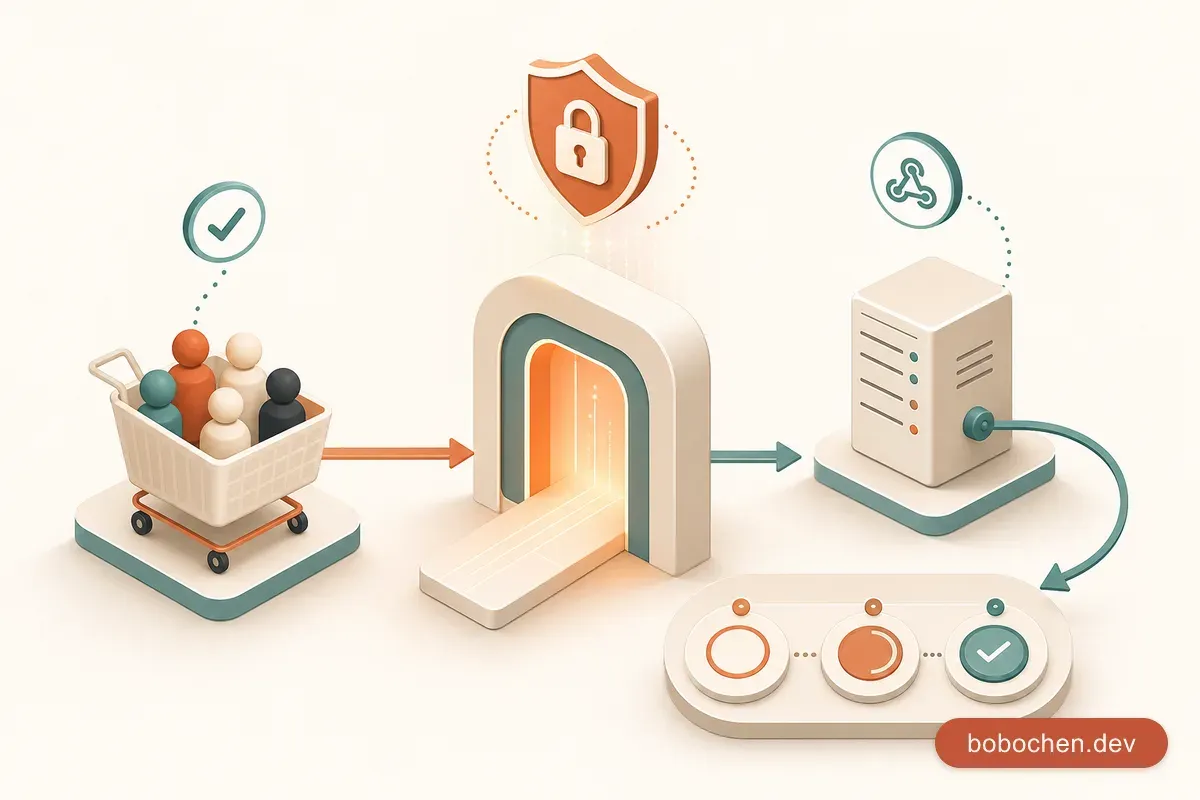
金流的核心概念是轉嫁責任。整個付款流程長這樣:
1. 使用者在你的網站按下「付款」
2. 你的伺服器向 Stripe 建立一個 Checkout Session
3. 使用者被導向到 Stripe 的付款頁面(hosted page)
4. 使用者在 Stripe 的頁面輸入信用卡資訊
5. Stripe 處理付款
6. Stripe 透過 webhook 通知你的伺服器「付款成功了」
7. 你的伺服器更新訂單狀態注意:信用卡資訊從頭到尾都不經過你的伺服器。使用者是在 Stripe 的頁面上輸入的。你的伺服器只收到「付款成功」或「付款失敗」的通知——不會碰到任何卡號資訊。這就是 Stripe Checkout 的精髓。
跨服務對照
| 概念 | Stripe | 綠界 ECPay | 藍新 NewebPay |
|---|---|---|---|
| Hosted 付款頁 | Checkout Session | 付款頁(AIO) | MPG 多功能收款 |
| 付款結果通知 | Webhook | 付款完成通知 | 背景通知 NotifyURL |
| 客戶端套件 | Stripe.js | N/A | N/A |
| Laravel 套件 | Laravel Cashier | 自行串接 / 社群套件 | 自行串接 / 社群套件 |
為什麼選 Stripe?(先講一個會卡死你的前提) 本章用 Stripe,純粹因為它有官方 Laravel 套件(Cashier)、文件最齊全、測試工具最好用,最適合「學金流概念」。但有件事我必須先講清楚,免得你照做到最後才發現收不到錢:Stripe 目前不支援台灣境內公司直接開戶收款(台灣不在它的支援國家清單內),真要收到台幣帳戶,得繞道去註冊美國公司、辦 EIN 那一整套——對一個只想做台灣團購平台的人來說,這成本不合理。所以請把這章當成「拿 Stripe 學概念」,真要在台灣上線收款,請改用綠界 ECPay 或藍新 NewebPay,它們才支援台灣公司行號跟在地金流(ATM、超商代碼、Line Pay)。好消息是:這裡學到的 webhook 驗證、訂單狀態機、DB transaction 邏輯,換成台灣金流幾乎照搬,所以這章不算白學——只是別把「學習情境」當成「能上線收錢」。
Laravel Cashier 與 Stripe 整合
Laravel Cashier 是 Laravel 官方維護的 Stripe 整合套件。它封裝了最常用的 Stripe 操作——建立 Customer、Checkout Session、處理 Webhook——讓你用優雅的 PHP 語法完成金流串接。
安裝
composer require laravel/cashier執行 Migration
Cashier 的 migration 需要先發佈到 database/migrations/(Laravel 11+ 起 Cashier 不再自動載入 migration),再執行 migrate,才會在你的 users 表加上 Stripe 相關的欄位:
php artisan vendor:publish --tag="cashier-migrations"
php artisan migrate
這會新增以下欄位到 users 表:
| 欄位 | 用途 |
|---|---|
stripe_id | 使用者在 Stripe 的 Customer ID |
pm_type | 預設付款方式類型(visa, mastercard…) |
pm_last_four | 信用卡末四碼 |
trial_ends_at | 試用期結束時間(訂閱制用) |
設定 Billable Trait
在 User Model 上加入 Billable trait:
<?php

namespace App\Models;

use Laravel\Cashier\Billable;
use Illuminate\Foundation\Auth\User as Authenticatable;

class User extends Authenticatable
{
    use Billable;

    // ... 其他程式碼
}
Billable trait 賦予 User Model 一系列 Stripe 相關的方法——checkout()、charge()、subscription() 等等。加了這一行,你的 User 就能直接跟 Stripe 互動。
Stripe 帳號設定與測試模式
建立 Stripe 帳號
到 stripe.com 註冊帳號。不需要填信用卡,開發階段全程用測試模式。
在 Dashboard 的 Developers → API keys 取得你的測試金鑰:
- Publishable key:
pk_test_...(前端用,可以公開) - Secret key:
sk_test_...(後端用,絕對不能公開)
設定 .env
STRIPE_KEY=pk_test_51ABC...
STRIPE_SECRET=sk_test_51ABC...
STRIPE_WEBHOOK_SECRET=whsec_...
千萬不要把 Secret key 提交到 Git。
.env已經在.gitignore裡了,但還是提醒一下——這種 key 外流的事件每個月都在發生。
Stripe 測試卡號
Stripe 提供一整套測試用的卡號,讓你不用刷真的信用卡就能測試各種場景:
| 卡號 | 行為 |
|---|---|
4242 4242 4242 4242 | 付款成功 |
4000 0000 0000 3220 | 需要 3D Secure 驗證 |
4000 0000 0000 0002 | 付款被拒(卡片被拒絕) |
4000 0000 0000 9995 | 付款失敗(餘額不足) |
到期日填任何未來的日期,CVC 填任意三碼數字。
Stripe CLI:本地測試 Webhook
Webhook 是 Stripe 打到你的伺服器的 HTTP 請求。但開發階段你的電腦通常在 NAT 後面,Stripe 打不到你。Stripe CLI 幫你解決這個問題:
# 安裝(macOS)
brew install stripe/stripe-cli/stripe

# 登入
stripe login

# 把 Stripe 的 webhook 事件轉發到你的本地伺服器
stripe listen --forward-to localhost:8000/stripe/webhook
執行後,CLI 會印出一個 whsec_... 的 webhook signing secret,把它填到 .env 的 STRIPE_WEBHOOK_SECRET。
開另一個終端機觸發測試事件:
stripe trigger checkout.session.completed你會看到 CLI 印出事件轉發的紀錄,而你的 Laravel 應用也會收到對應的 webhook。
訂單 Model 設計:Order 與 OrderItem
在接 Stripe 之前,先把訂單的資料結構搞定。揪好買的訂單跟一般電商略有不同:一個訂單對應一個使用者在一個團購裡的跟團記錄。
建立 Migration 與 Model
php artisan make:model Order -mf
php artisan make:model OrderItem -mf
Order Migration
<?php

use Illuminate\Database\Migrations\Migration;
use Illuminate\Database\Schema\Blueprint;
use Illuminate\Support\Facades\Schema;

return new class extends Migration
{
    public function up(): void
    {
        Schema::create('orders', function (Blueprint $table) {
            $table->id();
            $table->foreignId('user_id')->constrained()->cascadeOnDelete();
            $table->foreignId('group_buy_id')->constrained()->cascadeOnDelete();
            $table->integer('total');                         // 總金額(分)
            $table->string('status')->default('pending');     // pending, paid, failed, refunded
            $table->string('stripe_checkout_session_id')->nullable();
            $table->string('stripe_payment_intent_id')->nullable();
            $table->timestamp('paid_at')->nullable();
            $table->timestamps();

            $table->unique(['user_id', 'group_buy_id']);      // 一個使用者在一個團購只有一筆訂單
        });
    }

    public function down(): void
    {
        Schema::dropIfExists('orders');
    }
};
OrderItem Migration
return new class extends Migration
{
    public function up(): void
    {
        Schema::create('order_items', function (Blueprint $table) {
            $table->id();
            $table->foreignId('order_id')->constrained()->cascadeOnDelete();
            $table->string('product_name');
            $table->integer('quantity');
            $table->integer('unit_price');     // 單價(分)
            $table->integer('subtotal');       // 小計(分)= quantity * unit_price
            $table->timestamps();
        });
    }

    public function down(): void
    {
        Schema::dropIfExists('order_items');
    }
};
OrderStatus Enum
<?php

// app/Enums/OrderStatus.php
namespace App\Enums;

enum OrderStatus: string
{
    case Pending = 'pending';
    case Paid = 'paid';
    case Failed = 'failed';
    case Refunded = 'refunded';
    case Shipping = 'shipping';
    case Completed = 'completed';

    public function label(): string
    {
        return match ($this) {
            self::Pending => '待付款',
            self::Paid => '已付款',
            self::Failed => '付款失敗',
            self::Refunded => '已退款',
            self::Shipping => '出貨中',
            self::Completed => '已完成',
        };
    }

    public function color(): string
    {
        return match ($this) {
            self::Pending => 'yellow',
            self::Paid => 'green',
            self::Failed => 'red',
            self::Refunded => 'gray',
            self::Shipping => 'blue',
            self::Completed => 'green',
        };
    }
}
Model 定義
<?php

// app/Models/Order.php
namespace App\Models;

use App\Enums\OrderStatus;
use Illuminate\Database\Eloquent\Model;
use Illuminate\Database\Eloquent\Relations\BelongsTo;
use Illuminate\Database\Eloquent\Relations\HasMany;

class Order extends Model
{
    protected $fillable = [
        'user_id',
        'group_buy_id',
        'total',
        'status',
        'stripe_checkout_session_id',
        'stripe_payment_intent_id',
        'paid_at',
    ];

    protected function casts(): array
    {
        return [
            'status' => OrderStatus::class,
            'total' => 'integer',
            'paid_at' => 'datetime',
        ];
    }

    // ── 關聯 ──

    public function user(): BelongsTo
    {
        return $this->belongsTo(User::class);
    }

    public function groupBuy(): BelongsTo
    {
        return $this->belongsTo(GroupBuy::class);
    }

    public function items(): HasMany
    {
        return $this->hasMany(OrderItem::class);
    }
}<?php
// app/Models/OrderItem.php
namespace App\Models;
use Illuminate\Database\Eloquent\Model;
use Illuminate\Database\Eloquent\Relations\BelongsTo;
class OrderItem extends Model
{
protected $fillable = [
'order_id',
'product_name',
'quantity',
'unit_price',
'subtotal',
];
protected function casts(): array
{
return [
'quantity' => 'integer',
'unit_price' => 'integer',
'subtotal' => 'integer',
];
}
public function order(): BelongsTo
{
return $this->belongsTo(Order::class);
}
}在 User Model 加上關聯:
// app/Models/User.php
public function orders(): HasMany
{
    return $this->hasMany(Order::class);
}
ER 關係圖
users ──────< orders >────── group_buys
                │
                │
└──────< order_items- 一個 user 有多個 orders(一對多)
- 一個 group_buy 有多個 orders(一對多)
- 一個 order 有多個 order_items(一對多)
Database Transaction:確保資料一致性
建立訂單的時候,你需要同時做好幾件事:建立 Order、建立 OrderItem、扣減庫存(如果有的話)。這些動作必須全部成功或全部失敗——不能出現「Order 建好了但 OrderItem 沒建」的殘缺狀態。
這就是 Database Transaction 的用途。
DB::transaction()
use Illuminate\Support\Facades\DB;

$order = DB::transaction(function () use ($user, $groupBuy, $quantity) {
    // 建立訂單
    $order = Order::create([
        'user_id' => $user->id,
        'group_buy_id' => $groupBuy->id,
        'total' => $groupBuy->price_per_unit * $quantity,
        'status' => 'pending',
    ]);

    // 建立訂單項目
    $order->items()->create([
        'product_name' => $groupBuy->product_name,
        'quantity' => $quantity,
        'unit_price' => $groupBuy->price_per_unit,
        'subtotal' => $groupBuy->price_per_unit * $quantity,
    ]);

    return $order;
});
如果 DB::transaction() 裡的任何一步拋出例外,所有資料庫操作都會被回滾(rollback)——就像什麼都沒發生過一樣。
失敗場景
想像這個情況:Order::create() 成功了,但 $order->items()->create() 因為某個驗證錯誤失敗了。如果沒有 Transaction:
- 資料庫裡有一筆 Order,但沒有對應的 OrderItem
- 使用者看到「訂單已建立」但內容是空的
- 你需要手動清理殘餘資料
有了 Transaction,整個操作被回滾,資料庫維持乾淨。
跨框架對照
| 框架 | Transaction 語法 |
|---|---|
| Laravel | DB::transaction(fn () => ...) |
| Django | with transaction.atomic(): |
| Sequelize | sequelize.transaction(async (t) => ...) |
| Prisma | prisma.$transaction([...]) |
什麼時候該用 Transaction? 只要你在一個操作裡有兩個以上的資料庫寫入,而且它們必須同時成功或失敗,就該用 Transaction。訂單建立、轉帳、庫存異動——這些都是經典場景。
Stripe Checkout Session 流程
Checkout Session 是 Stripe 的 hosted 付款頁面。你在後端建立一個 Session,Stripe 回傳一個 URL,你把使用者導過去——Stripe 處理所有付款流程,完成後把使用者導回你的網站。
建立 Checkout Session
<?php

namespace App\Http\Controllers;

use App\Models\Order;
use Illuminate\Http\Request;

class CheckoutController extends Controller
{
    public function create(Order $order)
    {
        // 確認訂單屬於當前使用者,且狀態是 pending
        $this->authorize('pay', $order);

        $checkout = $order->user->checkout(
            // line items:顯示在 Stripe 付款頁上的項目
            $order->items->map(fn ($item) => [
                'price_data' => [
                    'currency' => 'twd',
                    'product_data' => [
                        'name' => $item->product_name,
                    ],
                    'unit_amount' => $item->unit_price,  // 以「分」為單位(TWD 不需要換算)
                ],
                'quantity' => $item->quantity,
            ])->toArray(),
            // session options
            [
                'success_url' => route('checkout.success', ['order' => $order->id]) . '?session_id={CHECKOUT_SESSION_ID}',
                'cancel_url' => route('checkout.cancel', ['order' => $order->id]),
                'metadata' => [
                    'order_id' => $order->id,    // 關鍵:在 webhook 裡用這個找回訂單
                ],
            ]
        );

        // 記錄 Session ID 到訂單
        $order->update([
            'stripe_checkout_session_id' => $checkout->id,
        ]);

        return redirect($checkout->url);
    }
}
這裡有幾個重點:
unit_amount的單位:Stripe 用的是貨幣的最小單位。對 USD 來說1000= $10.00(以 cent 為單位);對 TWD 來說1000就是 NT$1,000(因為台幣沒有「分」)。如果你的資料庫存的是台幣整數,直接給就好。metadata:自訂資料,Stripe 會在 webhook 事件裡原封不動回傳給你。我們放了order_id,等收到 webhook 時就能快速找到對應的訂單。success_url和cancel_url:使用者付款成功/取消後被導回的網址。{CHECKOUT_SESSION_ID}是 Stripe 的 placeholder,會被替換成真正的 Session ID。
成功與取消頁面
// routes/web.php
Route::middleware(['auth'])->group(function () {
    Route::get('/checkout/{order}', [CheckoutController::class, 'create'])->name('checkout.create');
    Route::get('/checkout/{order}/success', [CheckoutController::class, 'success'])->name('checkout.success');
    Route::get('/checkout/{order}/cancel', [CheckoutController::class, 'cancel'])->name('checkout.cancel');
});
// CheckoutController.php
public function success(Request $request, Order $order)
{
// 注意:不要在這裡更新訂單狀態!
// 這只是使用者看到的頁面,真正的狀態更新要靠 webhook。
// 使用者可能直接複製這個 URL,不代表真的付款了。
return view('checkout.success', [
'order' => $order->load('items', 'groupBuy'),
]);
}
public function cancel(Request $request, Order $order)
{
return view('checkout.cancel', [
'order' => $order->load('groupBuy'),
]);
}非常重要: 絕對不要在
success_url的 callback 裡直接把訂單標記為已付款。使用者可以自己在瀏覽器裡輸入 success URL 而不需要真的付款。唯一可信的付款確認來源是 Stripe 的 webhook。
Webhook 處理:Stripe 回呼你的伺服器
Webhook 的概念很簡單:當 Stripe 那邊發生了某個事件(付款成功、付款失敗、退款完成),Stripe 會主動發一個 HTTP POST 請求到你事先設定好的 URL。你的伺服器接到這個請求,就能做對應的處理。
為什麼需要 Webhook?
你可能會想:「使用者付完款被導回 success URL,我在那裡處理不就好了?」
不行。有好幾個原因:
- 使用者可能關掉瀏覽器——付完款但沒被導回你的網站。
- Success URL 可以被偽造——任何人都能在瀏覽器裡輸入那個 URL。
- 延遲付款——某些付款方式(銀行轉帳、超商繳費)不是即時完成的。
- Stripe 保證投遞——如果你的伺服器暫時掛了,Stripe 會重試。
Cashier 的 Webhook 路由
Cashier 已經幫你註冊了一個 webhook 路由:
// 自動註冊在 POST /stripe/webhook你需要在 Stripe Dashboard 裡設定 webhook endpoint,指向你的 https://your-domain.com/stripe/webhook。
CSRF 豁免: Stripe 的 webhook 請求不會帶 CSRF token(因為是 Stripe 伺服器發的,不是瀏覽器)。Cashier 已經自動把
/stripe/webhook排除在 CSRF 驗證之外,你不需要手動處理。
監聽 Checkout 完成事件
Cashier 會自動驗證 webhook 的簽名(確認是 Stripe 發的,不是惡意攻擊者偽造的),然後把事件分發出來。你只需要監聽對應的事件:
<?php

// app/Listeners/HandleCheckoutSessionCompleted.php
namespace App\Listeners;

use App\Enums\OrderStatus;
use App\Models\Order;
use Laravel\Cashier\Events\WebhookReceived;

class HandleCheckoutSessionCompleted
{
    public function handle(WebhookReceived $event): void
    {
        // 只處理 checkout.session.completed 事件
        if ($event->payload['type'] !== 'checkout.session.completed') {
            return;
        }

        $session = $event->payload['data']['object'];
        $orderId = $session['metadata']['order_id'] ?? null;

        if (! $orderId) {
            return;
        }

        $order = Order::find($orderId);

        if (! $order || $order->status !== OrderStatus::Pending) {
            return;
        }

        // 走狀態機,而不是直接 update —— 與前面定義的 markAsPaid() 一致
        $order->markAsPaid($session['payment_intent']);
    }
}
註冊 Listener
在 AppServiceProvider 的 boot() 方法裡,或用 EventServiceProvider:
// app/Providers/AppServiceProvider.php
use App\Listeners\HandleCheckoutSessionCompleted;
use Illuminate\Support\Facades\Event;
use Laravel\Cashier\Events\WebhookReceived;

public function boot(): void
{
    Event::listen(WebhookReceived::class, HandleCheckoutSessionCompleted::class);
}
Webhook 簽名驗證
Stripe 在每個 webhook 請求的 header 裡帶了一個簽名(Stripe-Signature)。Cashier 會用你 .env 裡的 STRIPE_WEBHOOK_SECRET 來驗證這個簽名,確保請求真的是 Stripe 發的。
如果驗證失敗(簽名不對),Cashier 會回傳 403,webhook 內容不會被處理。這是防止惡意攻擊者偽造 webhook 的關鍵安全機制——沒有這一層,任何人都能假裝 Stripe 打你的 webhook endpoint,偽造「付款成功」的通知。
訂單狀態機:從建立到完成
訂單在它的生命週期裡會經歷不同的狀態。重點是:不是每個狀態都能轉換到任何其他狀態。你不能把「已退款」的訂單變成「待付款」,也不能把「付款失敗」直接跳到「已完成」。
合法的狀態轉換
pending ──→ paid ──→ shipping ──→ completed
   │          │
   │          └──→ refunded
   │
   └──→ failed ──→ pending(重新付款)
在 Order Model 上實作狀態轉換
<?php

// app/Models/Order.php 加入以下方法
use App\Enums\OrderStatus;

class Order extends Model
{
    // ... 前面的程式碼 ...

    // ── 狀態轉換 ──

    private const ALLOWED_TRANSITIONS = [
        'pending' => ['paid', 'failed'],
        'paid' => ['shipping', 'refunded'],
        'failed' => ['pending'],          // 重新付款
        'shipping' => ['completed'],
        'completed' => [],                // 終態
        'refunded' => [],                 // 終態
    ];

    public function transitionTo(OrderStatus $newStatus): void
    {
        $allowed = self::ALLOWED_TRANSITIONS[$this->status->value] ?? [];

        if (! in_array($newStatus->value, $allowed)) {
            throw new \InvalidArgumentException(
                "無法將訂單從「{$this->status->label()}」轉換為「{$newStatus->label()}」"
            );
        }

        $this->update(['status' => $newStatus]);
    }

    public function markAsPaid(string $paymentIntentId): void
    {
        $this->transitionTo(OrderStatus::Paid);

        $this->update([
            'stripe_payment_intent_id' => $paymentIntentId,
            'paid_at' => now(),
        ]);
    }

    public function markAsFailed(): void
    {
        $this->transitionTo(OrderStatus::Failed);
    }

    public function markAsShipping(): void
    {
        $this->transitionTo(OrderStatus::Shipping);
    }

    public function markAsCompleted(): void
    {
        $this->transitionTo(OrderStatus::Completed);
    }

    // ── 查詢 ──

    public function isPaid(): bool
    {
        return $this->status === OrderStatus::Paid;
    }

    public function canPay(): bool
    {
        return $this->status === OrderStatus::Pending
            || $this->status === OrderStatus::Failed;
    }
}為什麼要搞這麼「囉嗦」的狀態機?因為不合法的狀態轉換是訂單系統裡最常見的 bug。你可能在某個 Controller 裡不小心把已退款的訂單又改成已付款,然後使用者收到錯誤的通知、財務報表數字對不上、客服接到一堆抱怨電話。把合法的轉換規則寫死在 Model 裡,任何不合法的操作都會直接拋例外——bug 在開發階段就被抓到,不會偷偷溜到正式環境。
實作:揪好買成團後收款流程
理論講完了,讓我們把所有東西串起來。揪好買的收款流程是這樣的:
1. 成團確認([上一章的邏輯](/blog/laravel-guide-group-buy-logic-session/))
2. 為每個跟團者建立 Order(DB::transaction)
3. 寄出付款連結給每個跟團者
4. 跟團者點連結 → 導向 Stripe Checkout
5. 付款完成 → Stripe 打 webhook → 更新訂單狀態
6. 所有人都付款了 → 團購狀態改為 completed
Step 1:成團後批次建立訂單
<?php

// app/Services/GroupBuyService.php
namespace App\Services;

use App\Enums\OrderStatus;
use App\Models\GroupBuy;
use App\Models\Order;
use Illuminate\Support\Facades\DB;

class GroupBuyService
{
    /**
     * 成團確認:為所有跟團者建立訂單
     */
    public function confirm(GroupBuy $groupBuy): void
    {
        // 防呆:已經確認過的不能再確認
        if ($groupBuy->status !== 'open') {
            throw new \RuntimeException('此團購已非開放狀態,無法確認成團');
        }

        // 防呆:人數不夠不能成團
        if ($groupBuy->participants()->count() < $groupBuy->min_participants) {
            throw new \RuntimeException('跟團人數未達最低門檻');
        }

        DB::transaction(function () use ($groupBuy) {
            // 更新團購狀態
            $groupBuy->update(['status' => 'confirmed']);

            // 為每個跟團者建立訂單
            foreach ($groupBuy->participants as $participant) {
                $quantity = $participant->pivot->quantity;

                $order = Order::create([
                    'user_id' => $participant->id,
                    'group_buy_id' => $groupBuy->id,
                    'total' => $groupBuy->price_per_unit * $quantity,
                    'status' => OrderStatus::Pending,
                ]);

                $order->items()->create([
                    'product_name' => $groupBuy->product_name,
                    'quantity' => $quantity,
                    'unit_price' => $groupBuy->price_per_unit,
                    'subtotal' => $groupBuy->price_per_unit * $quantity,
                ]);
            }
        });

        // 寄出付款通知(下一章用 Queue + Notification,詳見 /blog/laravel-guide-queues-events-notifications/)
        // event(new GroupBuyConfirmed($groupBuy));
    }
}
整個操作包在 DB::transaction() 裡——如果幫第五個人建立訂單的時候炸了,前四個人的訂單也會被回滾。不會出現「有些人有訂單有些人沒有」的混亂狀態。
Step 2:CheckoutController 完整實作
<?php

// app/Http/Controllers/CheckoutController.php
namespace App\Http\Controllers;

use App\Models\Order;
use Illuminate\Http\Request;

class CheckoutController extends Controller
{
    /**
     * 導向 Stripe Checkout 付款頁
     */
    public function create(Order $order)
    {
        $user = auth()->user();

        // 確認是自己的訂單
        if ($order->user_id !== $user->id) {
            abort(403, '這不是你的訂單');
        }

        // 確認訂單可以付款
        if (! $order->canPay()) {
            return redirect()->route('orders.show', $order)
                ->with('error', '此訂單目前無法付款');
        }

        $checkout = $user->checkout(
            $order->items->map(fn ($item) => [
                'price_data' => [
                    'currency' => 'twd',
                    'product_data' => [
                        'name' => $item->product_name,
                    ],
                    'unit_amount' => $item->unit_price,
                ],
                'quantity' => $item->quantity,
            ])->toArray(),
            [
                'success_url' => route('checkout.success', $order) . '?session_id={CHECKOUT_SESSION_ID}',
                'cancel_url' => route('checkout.cancel', $order),
                'metadata' => [
                    'order_id' => $order->id,
                ],
            ]
        );

        $order->update([
            'stripe_checkout_session_id' => $checkout->id,
        ]);

        return redirect($checkout->url);
    }

    /**
     * 付款成功頁面(僅顯示用,真正的狀態更新靠 webhook)
     */
    public function success(Request $request, Order $order)
    {
        return view('checkout.success', [
            'order' => $order->load('items', 'groupBuy'),
        ]);
    }

    /**
     * 使用者取消付款
     */
    public function cancel(Request $request, Order $order)
    {
        return view('checkout.cancel', [
            'order' => $order->load('groupBuy'),
        ]);
    }
}
Step 3:路由設定
// routes/web.php
use App\Http\Controllers\CheckoutController;

Route::middleware(['auth', 'verified'])->group(function () {
    // 訂單
    Route::get('/orders', [OrderController::class, 'index'])->name('orders.index');
    Route::get('/orders/{order}', [OrderController::class, 'show'])->name('orders.show');

    // Checkout
    Route::get('/checkout/{order}', [CheckoutController::class, 'create'])->name('checkout.create');
    Route::get('/checkout/{order}/success', [CheckoutController::class, 'success'])->name('checkout.success');
    Route::get('/checkout/{order}/cancel', [CheckoutController::class, 'cancel'])->name('checkout.cancel');
});
Step 4:訂單頁面 View
{{-- resources/views/orders/show.blade.php --}}
<div class="max-w-2xl mx-auto py-8">
  <h1 class="text-2xl font-bold mb-4">訂單 #{{ $order->id }}</h1>

  <div class="bg-white rounded-lg shadow p-6 mb-6">
    <div class="flex justify-between items-center mb-4">
      <span class="text-gray-600">團購</span>
      <span>{{ $order->groupBuy->title }}</span>
    </div>

    <div class="flex justify-between items-center mb-4">
      <span class="text-gray-600">狀態</span>
      <span
        class="px-2 py-1 rounded text-sm bg-{{ $order->status->color() }}-100 text-{{ $order->status->color() }}-800"
      >
        {{ $order->status->label() }}
      </span>
    </div>

    <hr class="my-4" />

    @foreach ($order->items as $item)
    <div class="flex justify-between items-center py-2">
      <span>{{ $item->product_name }} x {{ $item->quantity }}</span>
      <span>NT$ {{ number_format($item->subtotal) }}</span>
    </div>
    @endforeach

    <hr class="my-4" />

    <div class="flex justify-between items-center font-bold text-lg">
      <span>合計</span>
      <span>NT$ {{ number_format($order->total) }}</span>
    </div>
  </div>

  @if ($order->canPay())
  <a
    href="{{ route('checkout.create', $order) }}"
    class="block w-full text-center bg-indigo-600 text-white py-3 rounded-lg hover:bg-indigo-700 transition"
  >
    前往付款
  </a>
  @endif

  @if ($order->isPaid())
  <div class="text-center text-green-600 font-medium">
    已於 {{ $order->paid_at->format('Y/m/d H:i') }} 完成付款
  </div>
  @endif
</div>
Step 5:用 Stripe 測試模式跑完整流程
# 終端機 1:啟動 Laravel
php artisan serve

# 終端機 2:啟動 Stripe CLI 轉發 webhook
stripe listen --forward-to localhost:8000/stripe/webhook

# 終端機 3:用 Tinker 模擬成團
php artisan tinker
>>> $groupBuy = GroupBuy::first();
>>> app(GroupBuyService::class)->confirm($groupBuy);
>>> Order::where('group_buy_id', $groupBuy->id)->count();
// 應該等於跟團人數然後用瀏覽器登入任一跟團者帳號,進入訂單頁面,點「前往付款」。你會被導到 Stripe 的付款頁面——輸入測試卡號 4242 4242 4242 4242,填任意到期日和 CVC,按下付款。
付款成功後:
- 瀏覽器被導回 success 頁面
- Stripe CLI 顯示
checkout.session.completed事件被轉發 - 訂單狀態從
pending變成paid
# 在 Tinker 裡確認
>>> Order::first()->fresh()->status
// App\Enums\OrderStatus::Paid
處理「某個人付款失敗」
團購場景的特殊挑戰:10 個人跟團,9 個付款成功,1 個付款失敗。怎麼辦?
幾種策略:
// 策略一:給期限,逾期自動取消
// 可以用 Laravel Scheduler(第十二章會教)
// 每小時檢查一次,超過 48 小時沒付款的訂單標記為 failed

// 策略二:允許部分付款完成,照常出貨
// 適合數量彈性的團購

// 策略三:所有人都付款才出貨
// 適合需要精確數量的團購
揪好買採用策略一——給 48 小時的付款期限,逾期自動標記為失敗,並釋放名額。具體的排程實作會在第十二章搭配 Scheduler 來做。
小結:讓 Stripe 處理金流,你專注在產品
這一章我們走過了金流整合的完整流程:
- PCI DSS 合規——不要自己存信用卡號,讓 Stripe 處理
- Laravel Cashier——
composer require laravel/cashier,加Billabletrait,搞定 - Stripe 測試模式——測試卡號 + Stripe CLI,完全在本地測試金流
- 訂單設計——Order + OrderItem,用 Enum 管理狀態,用 DB Transaction 確保一致性
- Checkout Session——建立 Session → 導向 Stripe → 使用者付款 → 回到你的網站
- Webhook——Stripe 打你的伺服器通知付款結果,Cashier 驗證簽名確保安全
- 狀態機——明確定義合法的狀態轉換,避免不合法的操作
最關鍵的心法是:不要在 success URL 的 callback 裡更新訂單狀態。唯一可信的付款確認來源是 webhook。這不是 Laravel 的規矩,而是所有金流整合的通用原則——不管你用的是 Stripe、ECPay 還是任何其他支付服務。
下一章我們要處理成團後的一連串後續動作——寄確認信、推播通知、更新統計。如果這些全部塞在同一個 HTTP request 裡,使用者要等十秒才看到回應。Queue 與 Event 讓你把這些耗時任務丟到背景去跑,使用者按下按鈕的瞬間就看到回應。