Agent 安全網設計:當 AI 有 sudo 權限,你需要幾層保護
這是「Agentic Engineering 實戰手冊」系列的第十二篇。上一篇:Token 經濟學進階
Agent 自動 Push 了 47 次到 Staging
有一次我設定了 agent 自動部署到 staging 的 workflow,然後去吃午餐。回來的時候,staging 環境已經被部署了 47 次。
原因是 agent 卡在一個 deploy → test → fix → redeploy 的 loop 裡。每次 fix 都產生新的 issue,然後又觸發 redeploy。我去吃午餐的一個小時裡,它忠實地執行了 47 個 cycle。
staging 環境沒壞,但同事們的 test data 全被覆蓋了。那個下午我花了兩小時幫大家恢復環境,以及更久的時間恢復他們對我搞的 automation 的信任。
這件事教了我一件事:agent 最危險的特質不是它會做錯事,而是它會不知疲倦地一直做錯事。人類犯錯會停下來思考,agent 犯錯只會繼續 loop。
Agent 的權限困境
Agent 的有用程度跟它的權限成正比:
- 只能讀 code → 能幫你查東西,但不能幫你做事
- 能讀寫 code → 能幫你寫 code、修 bug
- 能執行指令 → 能跑 test、build、lint
- 能操作 Git → 能 commit、create branch、push
- 能操作外部系統 → 能 deploy、query database、send notification
- 能操作瀏覽器 → 能做 visual testing、填表單、抓資料
每一層權限的增加,都讓 agent 更有用,也更危險。
目標不是「限制 agent」(那樣它就沒用了),而是設計可控的自由度,在每個權限等級上放對的護欄。
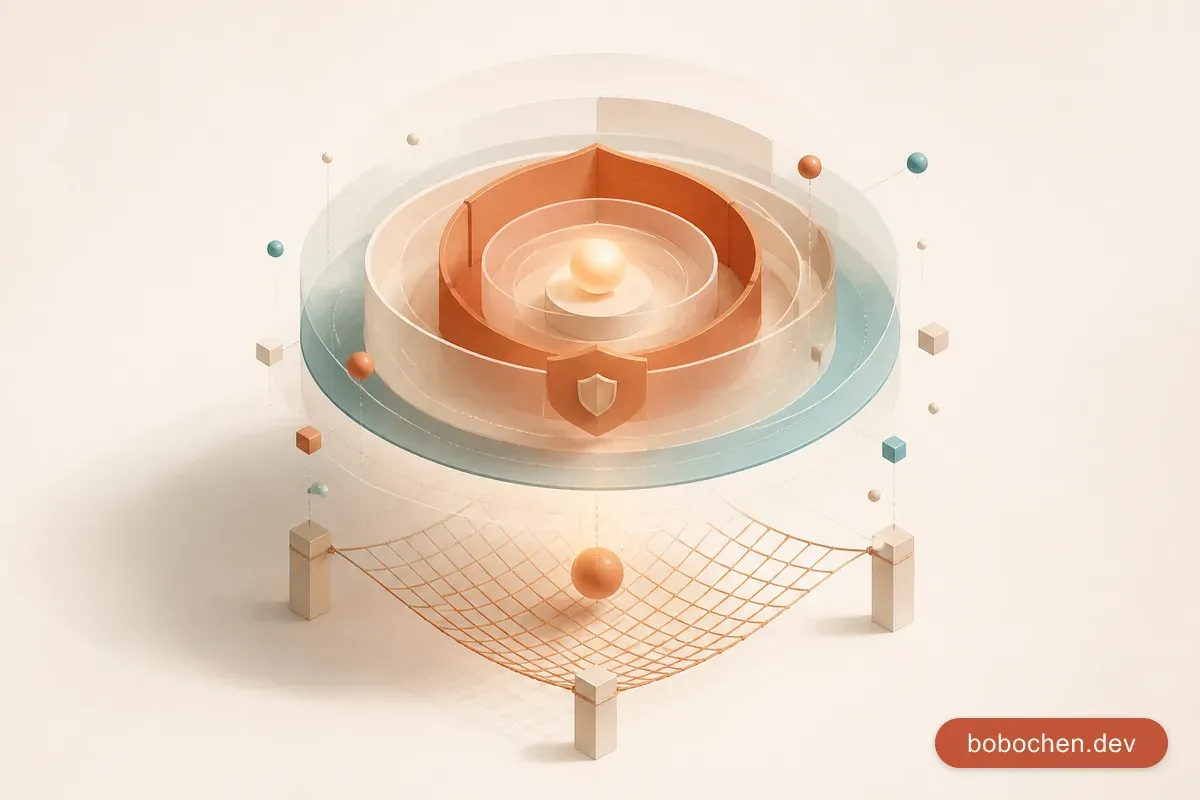
安全網的三層架構
我的 agent 安全設計有三層,從自動到人工:
Layer 1: Sandbox(自動隔離)
  ↓ 擋住大部分的「無意間搞破壞」
Layer 2: Hooks & Guardrails(自動檢查)
  ↓ 擋住「不該做的操作」
Layer 3: Human-in-the-Loop(人工審批)
  ↓ 擋住「需要判斷的決策」
Layer 1: Sandbox 環境設計
Git Branch Isolation
最基本也最有效的 sandbox:agent 永遠在 feature branch 上工作,永遠不直接改 main。
# Agent 開始工作前
git checkout -b feat/agent-task-xxx

# Agent 工作完成後
# → 你 review → merge → 或 discard
萬一 agent 把事情搞砸了,git checkout main && git branch -D feat/agent-task-xxx 就好,一秒復原。
Git Worktree
進階做法:用 git worktree 讓 agent 在一個完全獨立的目錄裡工作。它的修改不會影響你正在看的 working directory。
Claude Code 有內建的 worktree 支援——你可以讓 sub-agent 在 worktree 裡跑,確保主 context 的檔案狀態不被干擾。
Network Isolation
如果你用 Codex CLI,它有 kernel-level sandbox——agent 在一個隔離的 Linux 容器裡執行,只能存取你明確授權的路徑和 network。
Claude Code 的隔離沒這麼嚴格(它在你的 terminal 裡直接執行),所以更需要依賴 Layer 2 和 Layer 3。
Layer 2: Hooks 作為 Guardrails
Claude Code 的 hooks 系統讓你在 agent 的操作前後自動執行檢查:
| Hook 類型 | 觸發時機 | 用途 |
|---|---|---|
| PreToolUse | Agent 要使用工具之前 | 攔截危險操作 |
| PostToolUse | Agent 使用工具之後 | 記錄 / 檢查結果 |
| Notification | 需要通知時 | Alert / log |
我的 Hook 設定:
1. 敏感檔案保護
{
  "hooks": {
    "PreToolUse": [
      {
        "matcher": "Edit|Write",
        "command": "check-sensitive-files.sh \"$FILE_PATH\"",
        "description": "Block edits to .env, credentials, or config with secrets"
      }
    ]
  }
}
Agent 嘗試編輯 .env、credentials.json、或任何包含 secrets 的檔案時,自動擋住。
2. Git Push 確認
Agent 可以自由 commit(到 feature branch),但 push 需要人工確認。因為 push 是不可逆的,一旦 push 到 remote,其他人就能看到。
3. 破壞性操作攔截
rm -rf、DROP TABLE、git reset --hard——這些操作在被 agent 執行之前,一律需要你的明確批准。
Layer 3: Human-in-the-Loop 斷路器
有些操作,不管有多少自動化檢查,最終都需要人來決定。
斷路器設計原則:Reversibility × Blast Radius
| 低影響 | 高影響 | |
|---|---|---|
| 可逆 | 自動放行 | Hook 檢查 |
| 不可逆 | Hook 檢查 | 人工審批 |
對應到實際操作:
自動放行(可逆 + 低影響):
- 讀取檔案
- 跑 test / lint
- 在 feature branch 上 commit
- 格式化 code
Hook 檢查(可逆 + 高影響 or 不可逆 + 低影響):
- 修改 config files
- 安裝 npm packages
- 執行 build
- 修改 database migration files
人工審批(不可逆 + 高影響):
- Git push to remote
- Deploy to staging / production
- 刪除檔案或 branch
- 修改 CI/CD pipeline
- 任何涉及 credentials 的操作
Near-Miss Stories:差點出事的那幾次
案例 1:47 次 Staging Deploy
(開場說的那個。)
根因:agent 有自動 deploy 的權限,且沒有 rate limit。
加了什麼防護:
- Deploy 操作加了 cooldown:每 10 分鐘最多 deploy 一次
- 連續失敗 3 次自動停止(回扣 CLAUDE.md 的 “max 3 attempts” rule)
- Deploy 前需要人工 confirm
案例 2:差點 Push Credentials
Agent 在修一個環境設定問題時,為了「方便測試」,把一個 API key 硬寫在 code 裡。然後它準備 commit + push。
幸好 pre-commit hook 攔住了——我的 hook 裡有 credential 掃描(用 gitleaks),偵測到 API key pattern 就 block 了 commit。
根因:Agent 不理解 secrets management。它的 goal 是「讓 code 能跑」,hardcode API key 就是達到這個 goal 最快的方式。
加了什麼防護:
- Pre-commit 的 credential scanning(原本就有,救了一命)
- 在 CLAUDE.md 裡加了明確規則:「永遠不要 hardcode secrets,使用環境變數」
.env檔案加入 hook 的保護清單
案例 3:Production Migration 驚魂
Agent 寫了一個 database migration script,在 staging 跑得很順利。然後它「貼心地」準備了 production 的 migration command——包含 production database 的連線字串。
如果我沒注意到那個 command 裡的 hostname 是 production 而不是 staging,然後不小心讓 agent 執行了…
根因:Agent 不區分環境。它看到 staging 成功了,就按照同樣的模式準備 production 的指令。它不知道 production migration 需要完全不同的審批流程。
加了什麼防護:
- Production 連線字串不在任何 agent 可以讀取的檔案裡
- 任何包含
production或prod關鍵字的指令需要人工 confirm - Database migration 永遠是 human-only 的操作
權限的漸進式開放
不建議一次開放所有權限。建議的漸進路徑:
Week 1-2:Read Only + Write Code
✅ 讀檔案
✅ 寫 code(在 feature branch)
✅ 跑 test / lint
❌ Git commit(你手動做)
❌ 安裝 packages
❌ 執行任意 shell 命令
熟悉 agent 的行為模式。看它會做什麼決策、會犯什麼錯。
Week 3-4:加 Git 操作
✅ 以上全部
✅ Git commit(到 feature branch)
✅ 安裝 npm packages(需確認)
❌ Git push
❌ 操作外部系統
Month 2+:加外部操作
✅ 以上全部
✅ Git push(需確認)
✅ MCP 操作(指定的 server)
✅ Deploy to staging(需確認)
❌ Deploy to production
❌ Database 操作
永遠不要自動化的事
有些操作,無論你對 agent 多有信心,永遠需要人工審批:
- Production deploy
- Database migration on production
- 刪除 production 資料
- 修改 IAM / permissions
- Push to main/master
這不是因為 agent 一定會搞砸,而是這些操作的 blast radius 太大,萬一搞砸了,recovery 成本遠高於多花 30 秒人工確認的成本。
建立你的安全網 Checklist
## Agent Safety Checklist

### Sandbox

- [ ] Agent 在 feature branch 上工作(永遠不碰 main)
- [ ] 有方便的 rollback 方式(git reset / git branch -D)
- [ ] Production credentials 不在 agent 可讀的範圍

### Automated Guardrails

- [ ] Pre-commit hooks:credential scanning、lint、type check
- [ ] Sensitive file protection(.env、config with secrets)
- [ ] Rate limiting on destructive operations
- [ ] Max retry limit(3 次失敗自動停止)

### Human-in-the-Loop

- [ ] Git push 需要確認
- [ ] Deploy 需要確認
- [ ] 刪除操作需要確認
- [ ] Production-related 操作需要確認

### Monitoring

- [ ] Agent 的操作有 log(至少 git history)
- [ ] 異常行為有通知(連續失敗、大量操作)
- [ ] 定期 review agent 的操作歷史
Takeaway
-
Agent 安全不是「限制 agent」,而是「設計可控的自由度」:三層架構(Sandbox → Hooks → Human-in-the-Loop)讓 agent 在安全邊界內最大化有用性,每一層擋不同類型的風險。
-
Git 是你最好的安全網:Branch isolation 加上 easy rollback,覆蓋了大部分「agent 搞壞了東西」的場景。確保 agent 永遠在 feature branch 上工作。
-
每次 near-miss 都是加強安全網的機會:不要等到真的出事。47 次 staging deploy 教我加 rate limit,差點 push credentials 教我加 secret scanning。把每次驚險經歷都轉化成一條新的 guardrail。