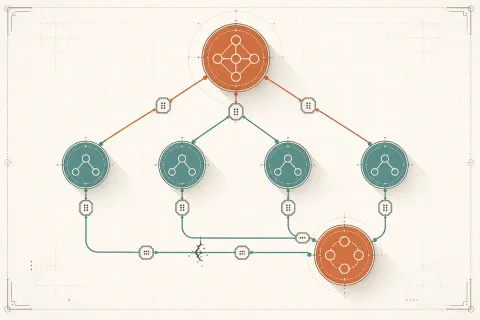
Multi-Agent 系統:Orchestrator 與 Subagent 設計模式
本篇是「Claude API & Agent SDK 完全指南」系列的第 11 / 15 篇。你可以從系列總覽開始閱讀,也可以直接接著看本文。
我第一次嘗試用單一 agent 做市場分析報告,是個讓我難忘的失敗經驗。
那個 agent 需要做的事情包括:搜尋競爭對手資訊、爬取相關新聞、分析財務數據、查詢用戶評論、整合所有資料,最後寫成一份 20 頁的報告。我把所有工具都給了它,寫了一個超詳細的 system prompt,然後讓它跑。
結果呢?
大約在搜尋了 15 個競爭對手、累積了大量搜尋結果之後,agent 開始「迷路」了。它忘記自己在做什麼,開始重複搜尋已經搜尋過的東西,最後生成了一份混亂、重複、前後矛盾的報告。Context window 被塞滿了大量原始搜尋結果,根本沒有空間做真正的分析思考。
這就是單一 agent 的天花板。
先講一件容易被誤導的事:Anthropic 沒有
handoff()這種「agent 互相交接」的原語——那是 OpenAI Agents SDK 的形狀。在 Claude 這邊,multi-agent 的真相樸素很多:你在自己的程式碼裡當 orchestrator,依判斷呼叫各個 subagent。每個 subagent 不是什麼神祕物件,就是一個帶專屬 system prompt +(可選)一組工具的 Claude 呼叫或 agentic loop。沒有框架幫你「自動交接」,routing 邏輯就是你寫的if、或是你讓 Claude 回傳「該派誰」的一次呼叫。本章所有程式碼都只用官方anthropicSDK(pip install anthropic),照抄就能跑。
為什麼單一 Agent 不夠用
要理解 multi-agent 的必要性,先要理解單一 agent 的三個根本限制:
第一:Context Window 是有限資源。 Claude 的 context window 很大(claude-opus-4-8 有 1M tokens),但真實任務消耗 context 的速度驚人。搜尋結果、文件內容、對話歷史……每一樣都在佔用空間。當 context 接近上限,模型的推理品質會下降——它開始「忘記」前面說過的事情,做出不一致的決策。
第二:無法平行化。 一個 agent 是線性執行的——做完 A 才能做 B。但很多任務本質上可以平行:分析五個競爭對手的時候,為什麼不讓五個 subagent 同時去分析?
第三:難以深度專業化。 一個 agent 要同時會搜尋、分析、寫作,必然每樣都只能做到 generalist 水準。但如果一個 subagent 專注做搜尋、另一個專注做分析,每個的提示可以針對該任務深度優化。
Multi-agent 系統就是解這三個問題的架構。
Orchestrator-Worker 模式
這是 multi-agent 系統最常見也最實用的模式。
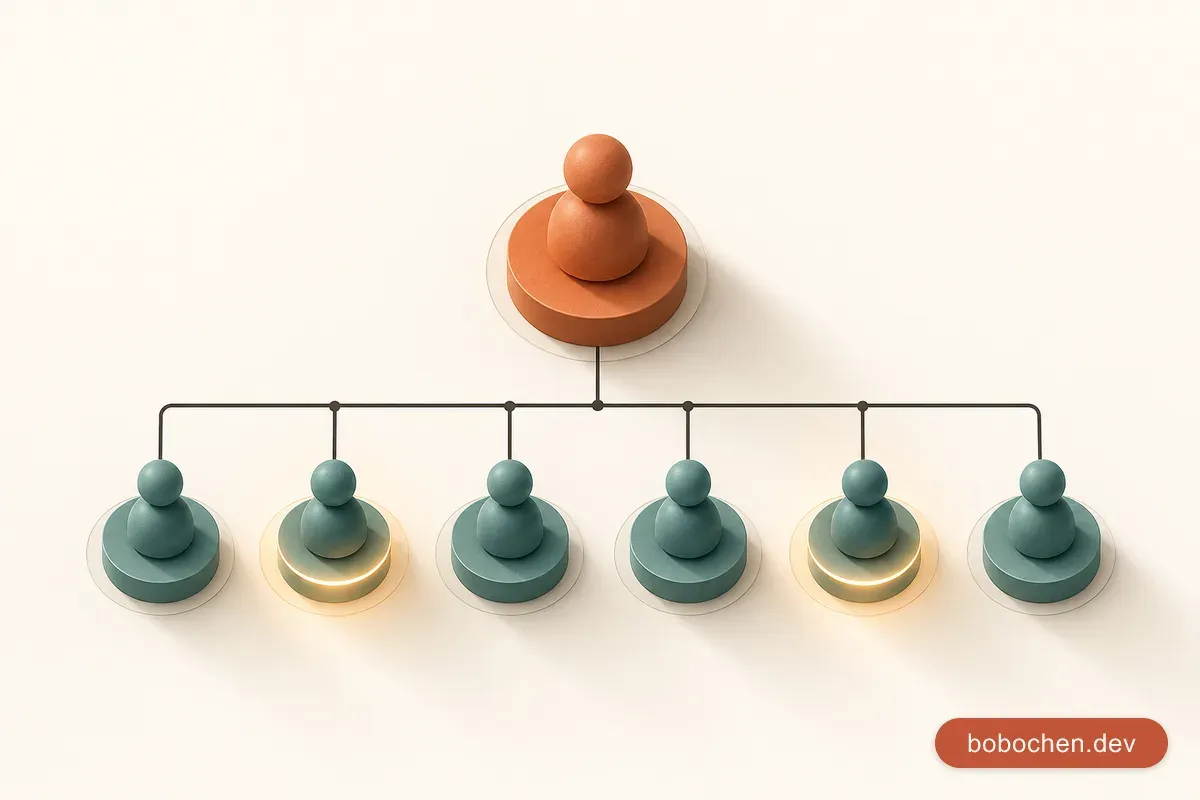
結構很簡單:一個 Orchestrator 負責規劃和協調,多個 Worker(subagent)負責執行具體任務。
Orchestrator 做什麼?
- 接收最初的任務目標
- 拆解任務、決定執行順序
- 分配子任務給各個 Worker
- 收集 Worker 的結果
- 整合最終輸出
Worker 做什麼?
- 接收一個明確、具體的子任務
- 用自己的工具和能力完成它
- 把結果回傳給 Orchestrator
- 不需要知道更大的任務目標是什麼
我認為這個分工的關鍵是:Worker 應該是「愚蠢」的——它只管把分配到的任務做好,不需要理解全局。這樣設計讓每個 Worker 的 context window 保持乾淨,只裝著跟當前子任務相關的資訊。
這裡要把抽象落地成程式碼:在 Claude 的世界裡,「一個 agent」具體就是「一個帶專屬 system prompt(+可選工具)的 Claude 呼叫」。Orchestrator 是你的 Python 程式本身——它持有判斷邏輯,決定何時呼叫哪個 subagent 函式。沒有任何框架在背後偷偷幫你做這件事,全部都是你看得到的程式碼。
在程式碼裡做 routing:orchestrator 把任務交給 subagent
先把每個 subagent 寫成一個普通的 Python 函式。每個函式內部就是一次 client.messages.create(),帶自己的 system prompt:
import anthropic

client = anthropic.Anthropic()  # 從 ANTHROPIC_API_KEY 讀金鑰

def search_subagent(query: str) -> str:
    """搜尋 subagent:只管整理事實,不做分析。"""
    resp = client.messages.create(
        model="claude-opus-4-8",
        max_tokens=2000,
        system=(
            "你是一個專業的網路搜尋整理 agent。\n"
            "任務:根據給定的查詢詞,整理相關事實。\n"
            "輸出格式:\n"
            "- 列出找到的關鍵事實,每條一行\n"
            "- 注明資訊來源\n"
            "- 不要做分析,只整理事實\n"
            "- 字數控制在 500 字以內"
        ),
        messages=[{"role": "user", "content": query}],
    )
    return next(b.text for b in resp.content if b.type == "text")

def analysis_subagent(raw_data: str) -> str:
    """分析 subagent:根據原始資料做深度分析。"""
    resp = client.messages.create(
        model="claude-opus-4-8",
        max_tokens=4000,
        system=(
            "你是一個商業分析 agent。\n"
            "任務:根據提供的原始資料,進行深度分析。\n"
            "分析框架:市場規模和趨勢 / 主要競爭者優劣勢 / 機會與威脅 / 建議行動方向"
        ),
        messages=[{"role": "user", "content": raw_data}],
    )
    return next(b.text for b in resp.content if b.type == "text")
注意這裡沒有 Agent(...) 類別、沒有 Runner、更沒有 handoff()。「agent」只是個帶 system prompt 的函式,「交接」就是 orchestrator 呼叫下一個函式並把上一個的輸出傳進去。
那 orchestrator 怎麼決定要派給誰?最簡單的版本,當任務流程固定時,直接用 Python 控制流程:
def orchestrator(research_question: str) -> str:
    """Orchestrator:規劃 → 搜尋 → 分析 → 撰寫。流程由程式碼掌控。"""
    # 步驟 1:先用一次 Claude 呼叫把問題拆成要搜尋的主題
    plan_resp = client.messages.create(
        model="claude-opus-4-8",
        max_tokens=1000,
        system="你是研究規劃 agent。把使用者的研究問題拆成 3-5 個具體的搜尋查詢詞,每行一個,不要多餘文字。",
        messages=[{"role": "user", "content": research_question}],
    )
    plan_text = next(b.text for b in plan_resp.content if b.type == "text")
    queries = [line.strip() for line in plan_text.splitlines() if line.strip()]

    # 步驟 2:對每個主題呼叫 search subagent
    search_results = [search_subagent(q) for q in queries]
    combined = "\n\n".join(search_results)

    # 步驟 3:把彙整後的資料交給 analysis subagent
return analysis_subagent(combined)這就是「routing」的本質:orchestrator 是你寫的程式,它根據判斷呼叫對應的 subagent 函式。上一個 subagent 的輸出(搜尋結果)變成下一個 subagent 的輸入(分析資料)——這就是 Claude 世界裡的「交接」,沒有任何魔法。
Routing 判斷怎麼設計
上面的範例流程是寫死的(固定先搜尋、再分析)。但很多時候 orchestrator 需要動態決定要派給哪個 subagent——例如客服系統收到一句話,要判斷該交給「退款 agent」還是「技術支援 agent」。
這種動態 routing 有兩種真實做法。
做法一:規則 / 關鍵字(最便宜、最可預測)
def route_by_keyword(user_message: str) -> str:
    text = user_message.lower()
    if any(k in text for k in ["退款", "退費", "refund"]):
        return "refund"
    if any(k in text for k in ["當機", "錯誤", "bug", "壞掉"]):
        return "tech_support"
    return "general"
能用規則就用規則。它零成本、零延遲、可單元測試。但語意一複雜(「我用不了所以想退錢」既是技術又是退款)規則就會失準。
做法二:用 structured output 讓 Claude 回傳「該派誰」
讓一次 Claude 呼叫只做分類這一件事,並用 messages.parse() 把回傳約束成你定義的 schema,拿到已驗證的物件:
from pydantic import BaseModel
from typing import Literal

class RouteDecision(BaseModel):
    target: Literal["refund", "tech_support", "general"]
    reason: str

def route_with_claude(user_message: str) -> RouteDecision:
    resp = client.messages.parse(
        model="claude-opus-4-8",
        max_tokens=512,
        system=(
            "你是客服路由 agent。判斷使用者訊息該交給哪個專責 agent:"
            "refund(退款相關)、tech_support(技術問題)、general(其他)。"
        ),
        messages=[{"role": "user", "content": user_message}],
        output_format=RouteDecision,
    )
    return resp.parsed_output  # 已驗證的 RouteDecision

# orchestrator 拿到決策後,呼叫對應的 subagent 函式
def dispatch(user_message: str) -> str:
    decision = route_with_claude(user_message)
    handlers = {
        "refund": handle_refund,
        "tech_support": handle_tech_support,
        "general": handle_general,
    }
    return handlers[decision.target](user_message)
messages.parse() 會把回應約束成 RouteDecision 並驗證,所以 decision.target 一定是那三個合法值之一——你可以放心拿它當 dict 的 key 去查表,不必擔心模型回了個你沒處理的字串。
我的經驗是:routing 決策越明確越好。不要寫一個模糊的 system prompt 叫 Claude「自己看著辦」,而是把可選項目(refund / tech_support / general)和判準清楚列出來,用 structured output 鎖死回傳格式。模糊的指令讓模型有太多解釋空間,容易產生不預期的行為——這點跟設計工具的 tool_choice 是同樣的道理。
平行 Agent 執行
順序執行已經很有用了,但真正的威力來自平行執行。
如果我要分析五個競爭對手,沒有理由讓搜尋 subagent 一個一個來——讓五個搜尋呼叫同時跑,總時間從 5x 變成 1x。
關鍵是用 AsyncAnthropic + asyncio.gather。每個 subagent 是一個 async 函式,gather 讓它們並行:
import asyncio
from anthropic import AsyncAnthropic

client = AsyncAnthropic()

async def research_competitor(competitor_name: str) -> dict:
    """對單一競爭對手做一次 subagent 呼叫。"""
    resp = await client.messages.create(
        model="claude-opus-4-8",
        max_tokens=2000,
        system=(
            f"你專門研究 {competitor_name} 這家公司。收集以下資訊:\n"
            "- 公司規模和市場定位\n"
            "- 主要產品和定價\n"
            "- 近期動態(過去 6 個月)\n"
            "- 用戶評價\n"
            "輸出結構化的 Markdown。"
        ),
        messages=[{"role": "user", "content": f"研究 {competitor_name} 的詳細資訊"}],
    )
    text = next(b.text for b in resp.content if b.type == "text")
    return {"competitor": competitor_name, "data": text}

async def parallel_market_research(competitors: list[str]) -> list[dict]:
    """平行研究所有競爭對手——同時發起所有呼叫。"""
    tasks = [research_competitor(c) for c in competitors]
    return await asyncio.gather(*tasks)

async def main():
    competitors = ["Notion", "Obsidian", "Roam Research", "Logseq", "Capacities"]
    print(f"開始平行研究 {len(competitors)} 個競爭對手...")
    research_data = await parallel_market_research(competitors)

    # orchestrator 把所有結果彙整,再丟一次 Claude 做市場分析
    combined = "\n\n".join(f"## {r['competitor']}\n{r['data']}" for r in research_data)
    analysis = await client.messages.create(
        model="claude-opus-4-8",
        max_tokens=4000,
        system="你是市場分析 agent。根據競爭對手資料,撰寫市場競爭分析報告。",
        messages=[{"role": "user", "content": combined}],
    )
    print(next(b.text for b in analysis.content if b.type == "text"))

asyncio.run(main())這個範例中,五個搜尋呼叫同時送出,每個都有自己獨立的 context(互不污染)。整個研究時間從原本的線性累加,變成等於最慢那個呼叫的回應時間。
一個實務提醒:平行度不要無限放大。同時送出幾十個請求會撞到 rate limit(anthropic SDK 預設會自動重試 429,但重試本身也要時間)。常見做法是用 asyncio.Semaphore 把同時在跑的呼叫數壓在合理範圍:
sem = asyncio.Semaphore(5)  # 最多 5 個同時在跑

async def research_competitor(competitor_name: str) -> dict:
    async with sem:
        resp = await client.messages.create(...)
        ...
Agent 間的通訊設計:共用狀態 vs 把輸出當輸入
當多個 subagent 需要協作,它們之間的資訊傳遞方式直接影響系統的可靠性。在 Claude 的世界裡,這純粹是程式碼層面的資料傳遞,不是什麼框架機制——你有兩種風格可選。
**把上一個的輸出當下一個的輸入(直接傳遞)**是最直接的方式:orchestrator 拿到 subagent A 的回傳值(一段文字),直接當作 subagent B 的 messages 內容傳進去。前面 orchestrator() 裡 search_results 串接後丟給 analysis_subagent 就是這種。
優點:清晰、可追蹤、容易除錯——資料流就是你的函式呼叫鏈。 缺點:如果 subagent A 的輸出很大,整段塞進 subagent B 的 prompt 會佔用大量 context(和成本)。
**共用狀態(shared dict / 外部儲存)**則是讓各個 subagent 把結果寫進一個共用的資料結構,orchestrator 再從裡面挑需要的給下一個 subagent。小規模時就是一個 Python dict;跨程序或要持久化時才升級成 Redis、資料庫或檔案。
import json
import redis  # 跨程序 / 要持久化時才需要

# --- 小規模:一個共用 dict 就夠 ---
shared_state: dict[str, str] = {}

def search_into_state(topic: str) -> None:
    """subagent 把結果寫進共用狀態,而不是直接回傳一大包。"""
    shared_state[topic] = search_subagent(f"研究 {topic}")

# orchestrator 之後只挑需要的 key 餵給下一個 subagent
def summarize_topic(topic: str) -> str:
    raw = shared_state.get(topic, "")
    return analysis_subagent(raw)


# --- 跨程序 / 要持久化:外部儲存 ---
redis_client = redis.Redis(host="localhost", port=6379, decode_responses=True)

def save_research_result(key: str, data: dict) -> None:
    redis_client.setex(f"research:{key}", 3600, json.dumps(data, ensure_ascii=False))

def load_research_result(key: str) -> dict:
    raw = redis_client.get(f"research:{key}")
return json.loads(raw) if raw else {}我的建議是:對於小資料(< 1000 tokens)用直接傳遞;對於大資料(文件、長報告)用共用狀態存原文,只把摘要在函式之間傳遞。混合使用效果最好:subagent 的摘要直接回傳給 orchestrator,完整的原始資料存在外部,需要時才用 key 撈回來。
防止 Agent 失控
這是我認為 multi-agent 系統設計中最被忽視的部分。因為 orchestrator 是你寫的程式,所有的安全閥也都是你自己加的——沒有框架會替你擋。
Agent 會失控的情況:
- 無限迴圈(某個 subagent 內部跑 agentic loop,一直呼叫工具卻不收斂)
- 超出預算(持續呼叫昂貴的工具或反覆送大 prompt)
- 發散行為(subagent 偏離原始目標,做了大量不相關的事)
每個 subagent 的 max_iterations / token 上限 / 逾時是第一道防線。如果某個 subagent 內部是手寫的 agentic loop(要用工具的那種),一定要自己加迴圈計數器跳出;單次呼叫則用 max_tokens 封頂、用 SDK 的 timeout 設逾時:
import anthropic

# 單次呼叫的逾時可以掛在 client 上,或單次 with_options 覆寫
client = anthropic.Anthropic(timeout=60.0)  # 秒

def bounded_tool_subagent(user_input: str, tools, max_iterations: int = 8) -> str:
    """手寫 agentic loop 的 subagent,自己加上 max_iterations 安全閥。"""
    messages = [{"role": "user", "content": user_input}]

    for _ in range(max_iterations):
        response = client.messages.create(
            model="claude-opus-4-8",
            max_tokens=4000,          # 單次回應 token 上限
            tools=tools,
            messages=messages,
        )
        if response.stop_reason == "end_turn":
            return next(b.text for b in response.content if b.type == "text")

        # Claude 要呼叫工具:執行後回灌結果,繼續迴圈
        tool_use_blocks = [b for b in response.content if b.type == "tool_use"]
        messages.append({"role": "assistant", "content": response.content})
        tool_results = []
        for tool in tool_use_blocks:
            result = execute_tool(tool.name, tool.input)  # 你的實作
            tool_results.append({
                "type": "tool_result",
                "tool_use_id": tool.id,
                "content": result,
            })
        messages.append({"role": "user", "content": tool_results})

    # 撞到 max_iterations 還沒結束:明確中止,不要無限跑下去
    return "ERROR: subagent 達到最大迭代次數,未能收斂"
小提醒:手寫 loop 一定要看
stop_reason。end_turn代表 Claude 講完了;tool_use代表它要呼叫工具(你要回灌結果再續);max_tokens代表被max_tokens截斷了。max_iterations是你的 loop 計數器,不是 API 欄位——這正是手寫 loop 防無限循環的正解。
Orchestrator 的總預算與步數上限是第二道防線。orchestrator 自己要記帳:總共派了幾個 subagent、累積花了多少 token,超過上限就停。我自己的做法是包一個簡單的 tracker:
class BudgetTracker:
    def __init__(self, max_tokens: int = 200_000, max_steps: int = 30):
        self.max_tokens = max_tokens
        self.max_steps = max_steps
        self.used_tokens = 0
        self.steps = 0

    def charge(self, response) -> None:
        """每次 subagent 呼叫後,把實際用量記進去。"""
        self.steps += 1
        self.used_tokens += response.usage.input_tokens + response.usage.output_tokens
        if self.steps > self.max_steps:
            raise RuntimeError(f"orchestrator 超過步數上限 {self.max_steps}")
        if self.used_tokens > self.max_tokens:
            raise RuntimeError(f"orchestrator 超過 token 預算 {self.max_tokens}")
每個 response 物件都帶 usage.input_tokens 和 usage.output_tokens,所以你拿到的是實際用量,不是估算。orchestrator 在每次呼叫 subagent 之後 budget.charge(response),超標就丟例外中止整個流程。
明確的終止條件是第三道防線。每個 subagent 的 system prompt 都應該明確定義什麼時候算「完成」:
SEARCH_SYSTEM = """你的任務是搜尋並整理某主題的相關資訊。

完成條件(達到任一條件即完成,立即回傳結果):
- 已整理出 5 個以上相關事實
- 已涵蓋主題的主要面向
- 已累積約 500 字的資料

不要持續追求「完美」的資料。整理到足夠就停下來回傳。
"""
Tracing 和可觀測性
Multi-agent 系統最難除錯的地方,就是你不知道哪個 subagent 在做什麼、為什麼做這個決定。Anthropic 沒有 enable_tracing 那種一行開啟的 tracing API——但要做到可觀測,其實有幾個樸實又夠用的真實手段。
第一:用環境變數打開 SDK 的 debug log。 設 ANTHROPIC_LOG=debug,SDK 就會把每個 HTTP 請求/回應印出來,你能看到實際送出去的 body 和收到的內容:
ANTHROPIC_LOG=debug python market_research.py第二:記錄每個呼叫的 response._request_id。 每個 response 都帶一個 request id,回報問題給 Anthropic 支援時用得上,自己對帳哪個 subagent 的哪次呼叫出事也靠它:
import logging

logging.basicConfig(level=logging.INFO)
log = logging.getLogger("orchestrator")

def traced_subagent(name: str, system: str, user: str) -> str:
    resp = client.messages.create(
        model="claude-opus-4-8",
        max_tokens=2000,
        system=system,
        messages=[{"role": "user", "content": user}],
    )
    log.info(
        "[%s] request_id=%s stop_reason=%s in=%d out=%d",
        name,
        resp._request_id,
        resp.stop_reason,
        resp.usage.input_tokens,
        resp.usage.output_tokens,
    )
    return next(b.text for b in resp.content if b.type == "text")
第三:自己存結構化 log。 我在生產環境的做法是,在 orchestrator 每次呼叫 subagent 的前後各記一筆——subagent 名稱、輸入摘要、request_id、stop_reason、token 用量、耗時——寫進 JSON log 或送進你既有的觀測系統(OpenTelemetry、Grafana 之類)。因為 orchestrator 是你寫的程式,這些埋點全在你掌控之內,不需要任何特殊 API。這讓我能事後看到「哪個 subagent 慢、哪次呼叫吃掉最多 token、哪個決策走錯」,對優化 system prompt 非常有幫助。
完整範例:三個 subagent 協作產出市場分析報告
把前面所有概念整合起來,這是我實際在生產環境使用的市場研究系統。三個 subagent——市場規模 / 競品 / 風險,各有專屬 system prompt,用 asyncio.gather 平行跑,最後 orchestrator 把三份結果丟給一次 Claude 彙整成報告。整段只用真實 anthropic SDK,照抄就能跑:
import asyncio
import logging
from anthropic import AsyncAnthropic

logging.basicConfig(level=logging.INFO)
log = logging.getLogger("market-research")

client = AsyncAnthropic(timeout=60.0)

MODEL = "claude-opus-4-8"
sem = asyncio.Semaphore(3)  # 同時最多 3 個 subagent 在跑

# =====================
# 三個 subagent:各有專屬 system prompt
# =====================

MARKET_SIZE_SYSTEM = """你是市場規模分析 subagent。
任務:估算並描述目標市場的規模與成長趨勢。
請涵蓋:TAM / SAM / SOM 概念性估算、近 3 年成長率、主要驅動因素。
輸出:結構化 Markdown,800-1000 字,只談市場規模相關,不要離題。
完成條件:涵蓋上述面向即停,不要追求完美數字。"""

COMPETITOR_SYSTEM = """你是競品分析 subagent。
任務:分析目標市場的主要競爭對手。
請涵蓋:3-5 個主要玩家、各自定位與優劣勢、產品差異化、市場份額概況。
分析框架:Porter's Five Forces 的精簡版。
輸出:結構化 Markdown,800-1000 字,只談競品,不要離題。"""

RISK_SYSTEM = """你是風險分析 subagent。
任務:盤點進入此市場的主要風險。
請涵蓋:法規 / 技術 / 市場 / 營運四類風險,各舉具體例子並標示嚴重度(高/中/低)。
輸出:結構化 Markdown,800-1000 字,只談風險,不要離題。"""

SYNTHESIS_SYSTEM = """你是市場研究 orchestrator 的彙整 agent。
任務:整合「市場規模」「競品」「風險」三份分析,產出一份執行摘要。
輸出(共約 600 字):
- 市場概況(2-3 句)
- 主要洞察(3-5 條,跨三份報告交叉得出)
- 風險提示(2-3 條)
- 建議行動(2-3 條)
不要照抄三份原文,要綜合、要有觀點。"""


async def run_subagent(name: str, system: str, user: str) -> str:
    """一個 subagent = 一次帶專屬 system prompt 的 Claude 呼叫。"""
    async with sem:
        resp = await client.messages.create(
            model=MODEL,
            max_tokens=4000,
            system=system,
            messages=[{"role": "user", "content": user}],
        )
    log.info(
        "[%s] request_id=%s stop_reason=%s in=%d out=%d",
        name, resp._request_id, resp.stop_reason,
        resp.usage.input_tokens, resp.usage.output_tokens,
    )
    if resp.stop_reason == "refusal":
        return f"[{name}] 安全拒答,已略過。"
    return next(b.text for b in resp.content if b.type == "text")


async def market_research(topic: str) -> str:
    """Orchestrator:平行派三個 subagent,再彙整成報告。"""
    # 步驟 1:三個分析 subagent 平行跑(互不依賴,所以可平行)
    market_size, competitors, risks = await asyncio.gather(
        run_subagent("market_size", MARKET_SIZE_SYSTEM, topic),
        run_subagent("competitors", COMPETITOR_SYSTEM, topic),
        run_subagent("risks", RISK_SYSTEM, topic),
    )

    # 步驟 2:orchestrator 把三份結果當輸入,丟一次 Claude 彙整
    combined = (
        f"# 研究主題\n{topic}\n\n"
        f"# 市場規模分析\n{market_size}\n\n"
        f"# 競品分析\n{competitors}\n\n"
        f"# 風險分析\n{risks}\n"
    )
    report = await run_subagent("synthesis", SYNTHESIS_SYSTEM, combined)
    return report


if __name__ == "__main__":
    question = (
        "我想進入台灣的「知識管理 SaaS」市場(Notion 競爭對手區間)。"
        "請分析市場規模、主要競爭對手定位,以及進入的主要風險。"
    )
    result = asyncio.run(market_research(question))
    print(result)
這個版本和我最初那次失敗的單一 agent 形成鮮明對比:每個 subagent 的 context 都只裝它自己那塊(市場規模 / 競品 / 風險),互不污染;三份分析平行跑,總時間約等於最慢那份;最後彙整是一次乾淨的呼叫,輸入是三份結構化摘要而不是一堆原始搜尋雜訊。orchestrator(market_research 函式)從頭到尾都是你看得懂、改得動、測得了的程式碼。
如果某個 subagent 內部需要用工具(例如真的去搜尋網路),就把那個 run_subagent 換成前面「防止失控」那段的手寫 agentic loop 版本(帶 max_iterations),其餘結構不變。
設計原則總結
經過多個 multi-agent 系統的開發和踩坑,我整理出幾條核心原則:
1. 每個 subagent 的職責要清晰到「用一句話說清楚」。 如果你需要用三句話才能解釋一個 subagent 做什麼,它的職責可能太模糊了——對應到程式碼,就是它的 system prompt 該再聚焦。
2. Routing 判斷要明確到「條件成立就派、不成立就不派」。 別讓 orchestrator「自己看著辦」。能用規則就用規則;需要語意判斷時,用 messages.parse() 的 structured output 把回傳鎖死成你定義的合法選項,再拿去查表呼叫對應 subagent。
3. Subagent 之間靠資料傳遞協作,沒有魔法交接。 上一個的輸出就是下一個的輸入(小資料直接傳),或寫進共用狀態(大資料存外部、只傳摘要)。「handoff」在 Claude 這邊就是你的一行函式呼叫。
4. 每個 subagent 都要有明確的「完成條件」+安全閥。 單次呼叫用 max_tokens 封頂、timeout 設逾時;內部跑 loop 的就自己加 max_iterations。orchestrator 層再加總預算(用 response.usage 記實際 token)和步數上限。沒有框架會替你擋,安全閥都是你自己加的。
5. 先做順序版,再優化成平行版。 平行執行(AsyncAnthropic + asyncio.gather)更複雜、更難除錯,也更容易撞 rate limit(記得用 Semaphore 控制併發)。先確認順序版的邏輯正確,再改成平行。
6. 可觀測性靠你自己埋。 ANTHROPIC_LOG=debug 看原始請求、記每次呼叫的 response._request_id 與 usage、把這些寫進你的結構化 log。Anthropic 沒有一鍵 tracing,但因為 orchestrator 是你的程式,埋點全在掌控之內。
下一章,我們來看 multi-agent 系統的另一面:如果你想讓自己的服務成為別人 agent 可以呼叫的工具,你需要開發自己的 MCP Server。