測試不是選配:用 Pest 寫出有信心的 Laravel 程式
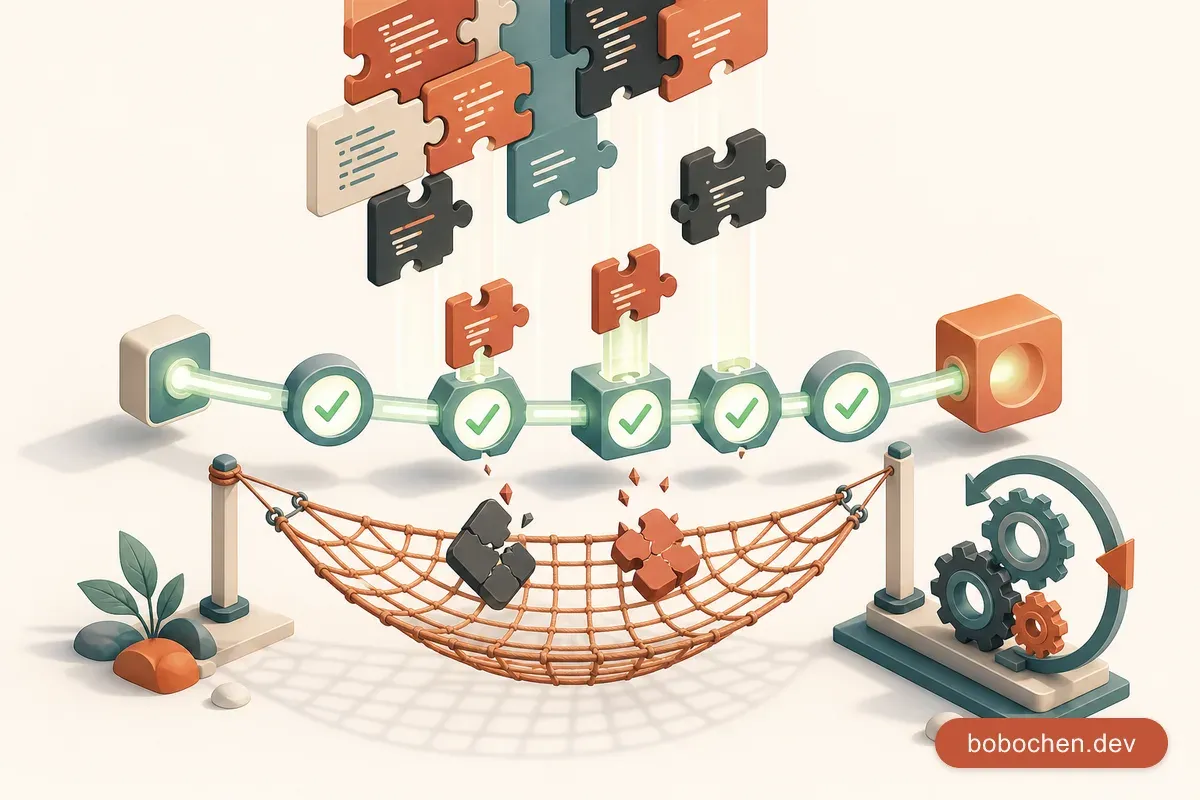
本系列以 Laravel 12 為基準撰寫。Laravel 13 已於 2026 年 3 月 17 日正式發佈(最低需求 PHP 8.3),但本章的 Pest 測試內容在 Laravel 13 同樣適用,不需特別調整。
「在我電腦上可以跑啊。」——這大概是軟體開發史上最經典的一句話。你改了一個 Model 的欄位,結果另一個頁面的表單壞了;你重構了一段商業邏輯,結果付款流程默默失效了。沒有測試的程式碼,每一次修改都是一場賭博,而你遲早會輸。
PHP 社群過去對測試的態度確實比較隨意,但 Pest 測試框架的出現改變了這件事。Pest 是建立在 PHPUnit 之上的現代測試框架,語法簡潔到你會覺得寫測試跟寫文件一樣自然。搭配 Laravel 內建的測試工具,寫測試的門檻已經低到沒有藉口不寫了:
- HTTP 測試:模擬使用者操作,不需要真的開瀏覽器
- RefreshDatabase:讓每次測試都從乾淨的資料庫開始
- Mail::fake():攔截寄信動作,不會真的發出 email
- Queue::fake():攔截佇列工作,不需要跑 worker
這一章我們要為揪好買的核心流程寫完整測試:開團建立、跟團加入、成團確認、付款流程。然後把這些測試串進 GitHub Actions CI pipeline,讓每一次 Push 都自動跑測試。從此以後,你可以安心重構、放心部署,晚上也能睡好覺。
為什麼 Laravel 專案一定要寫測試:不是為了考試,是為了睡好覺
先講兩個真實場景。
場景一: 某電商平台的工程師收到需求——「折扣碼不能跟團購優惠同時使用」。他改了結帳 Controller 裡的幾行邏輯,本機測了一下沒問題就部署了。隔天早上,客服收到 50 通投訴:「我加購商品怎麼價格變成零?」。原來改動影響了加購邏輯的金額計算,而沒有人發現——因為沒有測試。
場景二: 另一個團隊要把 Laravel 從 10 升級到 11。他們有 400 多個測試案例,跑一次 3 分鐘。升級完跑測試,紅了 12 個。每一個紅掉的測試都精確地告訴他們哪裡壞了、預期行為是什麼。他們花了一個下午修完,信心滿滿地部署上線。
測試的價值不在於「證明程式碼正確」——你永遠無法證明複雜系統沒有 bug。測試的價值在三件事:
1. 安全網:讓你敢重構。 沒有測試的程式碼,大家只敢「加程式碼」,不敢「改程式碼」。久了之後,程式碼就變成一堆層層疊加的 if-else 怪物。有測試保護,你可以放心把醜陋的程式碼重構成漂亮的架構,因為跑一次測試就知道有沒有搞壞東西。
2. 活文件:測試本身就是規格書。 你看一個 Controller 的程式碼,可能要花 10 分鐘才搞懂它的行為。但你看對應的測試——「未登入的使用者嘗試開團時應該被導向登入頁」「開團時名稱是必填欄位」「團購人數已滿時不能再加入」——30 秒就知道這個功能在幹嘛。而且這份文件是「可以執行的」,它不會跟程式碼脫節。
3. 設計回饋:難測的程式碼通常設計不好。 如果你發現一個 class 很難寫測試——需要 mock 一堆東西、需要準備很多前置狀態——那通常代表這個 class 做了太多事情。測試會倒逼你寫出鬆耦合、職責分明的程式碼。
跨框架對照
| 概念 | Laravel (Pest) | Jest (Node.js) | pytest (Python) |
|---|---|---|---|
| 測試框架 | Pest / PHPUnit | Jest / Vitest | pytest |
| 斷言語法 | expect($x)->toBe(1) | expect(x).toBe(1) | assert x == 1 |
| HTTP 測試 | $this->get('/api') | supertest | TestClient |
| 測試資料庫 | RefreshDatabase | 自己管 | fixtures |
| Mock | Mail::fake() | jest.mock() | unittest.mock |
| 執行指令 | php artisan test | npm test | pytest |
如果你來自 JavaScript 世界,Pest 的語法會讓你非常有親切感——它就是 PHP 版的 Jest。
Pest 測試框架:比 PHPUnit 更好寫
Laravel 12 的 laravel new 安裝精靈會詢問你選擇 Pest 還是 PHPUnit;選了 Pest,它就會自動裝好、開箱即用。如果你用的是舊版 Laravel 或想手動安裝:
composer require pestphp/pest pestphp/pest-plugin-laravel --dev --with-all-dependencies
php artisan pest:install
pest-plugin-laravel 提供 actingAs()、Laravel 專屬斷言等整合功能;初始化建議用 php artisan pest:install(舊式 ./vendor/bin/pest --init 仍可用,但新版以 pest:install 為主)。
以 Laravel 12 來說,只要在 laravel new 時選 Pest,就能直接使用,不需要額外執行上面的指令。
Pest 語法 vs PHPUnit 語法
先來看同一個測試用兩種方式怎麼寫:
PHPUnit(傳統方式):
<?php

namespace Tests\Feature;

use Tests\TestCase;
use Illuminate\Foundation\Testing\RefreshDatabase;

class GroupBuyTest extends TestCase
{
    use RefreshDatabase;

    public function test_homepage_returns_successful_response(): void
    {
        $response = $this->get('/');

        $response->assertStatus(200);
    }

    public function test_guest_cannot_create_group_buy(): void
    {
        $response = $this->post('/group-buys', [
            'title' => '大湖草莓團購',
        ]);

        $response->assertRedirect('/login');
    }
}
Pest(現代方式):
<?php

use Illuminate\Foundation\Testing\RefreshDatabase;

uses(RefreshDatabase::class);

it('returns successful response for homepage', function () {
    $this->get('/')
        ->assertStatus(200);
});

it('prevents guest from creating group buy', function () {
    $this->post('/group-buys', [
        'title' => '大湖草莓團購',
    ])->assertRedirect('/login');
});
差異一目了然:
- 不需要 class —— 每個測試檔案就是一堆函數,不用寫
extends TestCase - 不需要 method 命名規範 —— 用
it()或test()描述行為,讀起來像英文句子 - 不需要 use trait ——
uses(RefreshDatabase::class)一行搞定 - 鏈式斷言 —— 所有東西串在一起,更流暢
it() 和 test() 的差別
// 這兩個完全等價:
it('creates a group buy successfully', function () { /* ... */ });
test('creates a group buy successfully', function () { /* ... */ });

// it() 在終端顯示為 "it creates a group buy successfully"
// test() 在終端顯示為 "creates a group buy successfully"慣例上,it() 用來描述「這個東西應該做什麼」,test() 用來描述「做這件事的結果」。選一種風格並保持一致就好。本章統一用 it()。
expect() API——流暢的斷言
Pest 的 expect() API 借鏡了 Jest,讀起來非常自然:
// 基本型別
expect($user->name)->toBe('Bobo');
expect($user->age)->toBeGreaterThan(18);
expect($user->email)->toContain('@');
expect($user->bio)->toBeNull();
expect($user->is_active)->toBeTrue();

// 陣列
expect($tags)->toHaveCount(3);
expect($response->json())->toHaveKey('data');
expect($ids)->toContain(1, 2, 3);

// 例外
expect(fn () => $service->join($closedGroupBuy))
    ->toThrow(GroupBuyClosedException::class);

// 鏈式
expect($user)
    ->name->toBe('Bobo')
    ->email->toEndWith('@example.com')
    ->role->toBe(UserRole::Organizer);
跑測試
# 用 Artisan(推薦,有漂亮的輸出)
php artisan test

# 直接跑 Pest
./vendor/bin/pest

# 跑特定檔案
php artisan test --filter=GroupBuyTest

# 跑特定測試
php artisan test --filter="creates a group buy"

# 平行執行(更快)
php artisan test --parallel

# 只跑上次失敗的
php artisan test --retry
php artisan test 的輸出非常漂亮——綠色的勾勾代表通過,紅色的叉叉代表失敗,還會告訴你每個測試花了多少毫秒。
Feature Test vs Unit Test:差在哪裡
Laravel 的測試資料夾結構很清楚:
tests/
├── Feature/          # 功能測試(模擬完整 HTTP 請求)
│   ├── GroupBuyTest.php
│   └── Auth/
│       └── LoginTest.php
├── Unit/             # 單元測試(測試單一 class/method)
│   └── Models/
│       └── GroupBuyTest.php
├── Pest.php          # Pest 全域設定
└── TestCase.php      # 基底 TestCase
Feature Test(功能測試)
功能測試模擬完整的 HTTP 請求生命週期——從路由解析、middleware 檢查、Controller 執行、到 Response 返回。它測試的是「使用者做了某個操作,系統會有什麼反應」:
// tests/Feature/GroupBuyTest.php
it('allows organizer to create a group buy', function () {
    $user = User::factory()->create(['role' => 'organizer']);

    $this->actingAs($user)
        ->post('/group-buys', [
            'title' => '大湖草莓團購',
            'description' => '又到了草莓季',
            'min_participants' => 10,
            'max_participants' => 50,
            'deadline' => now()->addWeek(),
        ])
        ->assertRedirect('/group-buys');

    $this->assertDatabaseHas('group_buys', [
        'title' => '大湖草莓團購',
        'user_id' => $user->id,
    ]);
});這一個測試涵蓋了:路由是否正確、auth middleware 是否通過、Controller 是否正確處理資料、資料是否寫入資料庫、回應是否重導到正確頁面。
Unit Test(單元測試)
單元測試只測試一個 class 或 method 的行為,不經過 HTTP 層,不碰資料庫(除非必要):
// tests/Unit/Models/GroupBuyTest.php
it('calculates if group buy has reached minimum participants', function () {
    $groupBuy = new GroupBuy([
        'min_participants' => 10,
    ]);

    // 用 mock 或直接設定 relationship count
    expect($groupBuy->hasReachedMinimum(8))->toBeFalse();
    expect($groupBuy->hasReachedMinimum(10))->toBeTrue();
    expect($groupBuy->hasReachedMinimum(15))->toBeTrue();
});

it('determines if group buy is still open', function () {
    $open = new GroupBuy(['deadline' => now()->addDay()]);
    $closed = new GroupBuy(['deadline' => now()->subDay()]);

    expect($open->isOpen())->toBeTrue();
    expect($closed->isOpen())->toBeFalse();
});
什麼時候用哪個?
| 情境 | 選擇 | 原因 |
|---|---|---|
| 測試 API endpoint | Feature | 需要完整 HTTP 生命週期 |
| 測試使用者流程 | Feature | 涉及多個元件協作 |
| 測試 Model 的計算邏輯 | Unit | 純函數,不需要 HTTP |
| 測試 Service class | Unit | 單一職責,注入依賴 |
| 測試授權 Policy | Feature | 需要 auth 上下文 |
| 測試 Validation 規則 | Feature | 需要 Request 處理 |
經驗法則: 對於 Web 應用程式,Feature Test 的投資報酬率最高。一個 Feature Test 就能涵蓋路由、middleware、Controller、Model、View 的整合。先把核心流程的 Feature Test 寫好,再慢慢補 Unit Test 給複雜的商業邏輯。
Pest.php:全域設定
tests/Pest.php 是 Pest 的全域設定檔,你可以在這裡為不同資料夾的測試統一套用 trait:
// tests/Pest.php

uses(Tests\TestCase::class, Illuminate\Foundation\Testing\RefreshDatabase::class)
    ->in('Feature');

uses(Tests\TestCase::class)
    ->in('Unit');
這樣你就不需要在每個 Feature 測試檔案裡都寫 uses(RefreshDatabase::class) 了——全域一次搞定。
HTTP Tests:模擬使用者操作
Laravel 的 HTTP 測試是你最常用的武器。它讓你模擬瀏覽器的行為——送出 GET、POST、PUT、DELETE 請求,然後檢查回應。
基本 HTTP 方法
// GET 請求——瀏覽頁面
$this->get('/group-buys')
    ->assertStatus(200)
    ->assertSee('大湖草莓團購');

// POST 請求——建立資源
$this->post('/group-buys', [
    'title' => '大湖草莓團購',
    'min_participants' => 10,
])->assertRedirect('/group-buys');

// PUT 請求——更新資源
$this->put("/group-buys/{$groupBuy->id}", [
    'title' => '大湖有機草莓團購',
])->assertRedirect("/group-buys/{$groupBuy->id}");

// DELETE 請求——刪除資源
$this->delete("/group-buys/{$groupBuy->id}")
    ->assertRedirect('/group-buys');
常用斷言方法
// 狀態碼
->assertStatus(200)
->assertOk()               // 等同 assertStatus(200)
->assertNotFound()          // 等同 assertStatus(404)
->assertForbidden()         // 等同 assertStatus(403)
->assertUnauthorized()      // 等同 assertStatus(401)

// 重導向
->assertRedirect('/login')
->assertRedirectToRoute('group-buys.index')

// 頁面內容
->assertSee('大湖草莓團購')           // 頁面包含這段文字
->assertDontSee('已截止')             // 頁面不包含這段文字
->assertSeeText('10 人成團')          // 只看純文字(忽略 HTML)

// Session
->assertSessionHas('success', '開團成功!')
->assertSessionHasErrors(['title'])   // 驗證失敗時的錯誤欄位
->assertSessionHasNoErrors()

// View
->assertViewIs('group-buys.show')
->assertViewHas('groupBuy')
模擬登入使用者
use App\Models\User;

it('shows create form to organizers', function () {
    $organizer = User::factory()->create(['role' => 'organizer']);

    $this->actingAs($organizer)
        ->get('/group-buys/create')
        ->assertOk();
});

it('denies create form to regular members', function () {
    $member = User::factory()->create(['role' => 'member']);

    $this->actingAs($member)
        ->get('/group-buys/create')
        ->assertForbidden();
});

it('redirects guest to login', function () {
    $this->get('/group-buys/create')
        ->assertRedirect('/login');
});
actingAs() 幫你模擬「以某個使用者身份登入」,不需要真的跑登入流程。
測試 JSON API 回應
it('returns group buys as JSON', function () {
    GroupBuy::factory()->count(3)->create();

    $this->getJson('/api/group-buys')
        ->assertOk()
        ->assertJsonCount(3, 'data')
        ->assertJsonStructure([
            'data' => [
                '*' => ['id', 'title', 'description', 'min_participants', 'deadline'],
            ],
        ]);
});

it('returns specific group buy details', function () {
    $groupBuy = GroupBuy::factory()->create([
        'title' => '大湖草莓團購',
    ]);

    $this->getJson("/api/group-buys/{$groupBuy->id}")
        ->assertOk()
        ->assertJson([
            'data' => [
                'title' => '大湖草莓團購',
            ],
        ]);
});
注意這裡用的是 getJson() 而不是 get()——它會自動帶上 Accept: application/json header,讓 Laravel 回傳 JSON 而不是 HTML。對應的還有 postJson()、putJson()、deleteJson()。
Database Testing:RefreshDatabase 的魔力
測試最怕的是「測試之間互相影響」。你在測試 A 建了一個使用者,結果測試 B 因為資料庫裡多了這筆資料而失敗——這種問題 debug 起來讓人抓狂。
RefreshDatabase trait
RefreshDatabase 解決這個問題的方式很聰明:它在每個測試之前用資料庫 transaction 包起來,測試結束後 rollback。效果等同於每個測試都從空白資料庫開始,但速度比真的 migrate:fresh 快得多。
如果你按前面建議設定了 tests/Pest.php,所有 Feature 測試都自動有這個行為:
// tests/Pest.php
uses(Tests\TestCase::class, RefreshDatabase::class)->in('Feature');
資料庫斷言
use App\Models\GroupBuy;
use App\Models\User;

it('stores group buy in database', function () {
    $user = User::factory()->create(['role' => 'organizer']);

    $this->actingAs($user)->post('/group-buys', [
        'title' => '大湖草莓團購',
        'description' => '又到了草莓季',
        'min_participants' => 10,
        'max_participants' => 50,
        'deadline' => '2026-12-31',
    ]);

    // 確認資料庫裡有這筆資料
    $this->assertDatabaseHas('group_buys', [
        'title' => '大湖草莓團購',
        'user_id' => $user->id,
    ]);

    // 確認資料庫裡有正確的數量
    $this->assertDatabaseCount('group_buys', 1);
});

it('removes group buy from database on delete', function () {
    $user = User::factory()->create(['role' => 'organizer']);
    $groupBuy = GroupBuy::factory()->for($user)->create();

    $this->actingAs($user)->delete("/group-buys/{$groupBuy->id}");

    // 確認資料庫裡沒有這筆資料了
    $this->assertDatabaseMissing('group_buys', [
        'id' => $groupBuy->id,
    ]);
});
使用 SQLite in-memory 加速測試
在 phpunit.xml 裡(Laravel 12 預設已經設好了),測試環境使用 SQLite in-memory 資料庫,跑起來飛快:
<php>
    <env name="APP_ENV" value="testing"/>
    <env name="DB_CONNECTION" value="sqlite"/>
    <env name="DB_DATABASE" value=":memory:"/>
</php>
這代表測試不會碰到你的開發資料庫——完全隔離。
Mock 與 Fake:Mail::fake()、Queue::fake()
測試不應該真的寄信、真的打第三方 API、真的觸發排程任務。Laravel 的 Fake 機制讓你攔截這些副作用,只檢查「系統是否正確地觸發了這些操作」。
Mail::fake()
use Illuminate\Support\Facades\Mail;
use App\Mail\GroupBuyConfirmed;

it('sends confirmation email when group buy reaches minimum', function () {
    Mail::fake();

    $groupBuy = GroupBuy::factory()->create(['min_participants' => 2]);
    $participants = User::factory()->count(2)->create();

    // 模擬兩個人加入,觸發成團
    foreach ($participants as $participant) {
        $groupBuy->participants()->attach($participant);
    }

    $groupBuy->checkAndConfirm();

    // 斷言:確認信被寄出了
    Mail::assertSent(GroupBuyConfirmed::class, function ($mail) use ($groupBuy) {
        return $mail->groupBuy->id === $groupBuy->id;
    });

    // 斷言:寄了正確的數量
    Mail::assertSent(GroupBuyConfirmed::class, 2);
});

it('does not send email when minimum not reached', function () {
    Mail::fake();

    $groupBuy = GroupBuy::factory()->create(['min_participants' => 10]);
    $groupBuy->participants()->attach(User::factory()->create());

    $groupBuy->checkAndConfirm();

    Mail::assertNotSent(GroupBuyConfirmed::class);
});
Mail::fake() 攔截所有郵件,不會真的送出。你只需要驗證「正確的 Mailable 是否被送出、送給了誰」。
Queue::fake()
use Illuminate\Support\Facades\Queue;
use App\Jobs\ProcessGroupBuyPayment;

it('dispatches payment job when group buy is confirmed', function () {
    Queue::fake();

    $groupBuy = GroupBuy::factory()->confirmed()->create();

    $groupBuy->processPayments();

    Queue::assertPushed(ProcessGroupBuyPayment::class, function ($job) use ($groupBuy) {
        return $job->groupBuyId === $groupBuy->id;
    });
});
Notification::fake()
use Illuminate\Support\Facades\Notification;
use App\Notifications\GroupBuyDeadlineReminder;

it('sends deadline reminder to all participants', function () {
    Notification::fake();

    $groupBuy = GroupBuy::factory()->create([
        'deadline' => now()->addDay(),
    ]);
    $participants = User::factory()->count(5)->create();
    $groupBuy->participants()->attach($participants);

    $groupBuy->sendDeadlineReminders();

    Notification::assertSentTo($participants, GroupBuyDeadlineReminder::class);
});
Event::fake()
use Illuminate\Support\Facades\Event;
use App\Events\GroupBuyCreated;

it('fires event when group buy is created', function () {
    Event::fake([GroupBuyCreated::class]);

    $user = User::factory()->create(['role' => 'organizer']);

    $this->actingAs($user)->post('/group-buys', [
        'title' => '大湖草莓團購',
        'min_participants' => 10,
        'max_participants' => 50,
        'deadline' => now()->addWeek(),
    ]);

    Event::assertDispatched(GroupBuyCreated::class);
});
Storage::fake()
use Illuminate\Support\Facades\Storage;
use Illuminate\Http\UploadedFile;

it('uploads product image when creating group buy', function () {
    Storage::fake('public');

    $user = User::factory()->create(['role' => 'organizer']);
    $image = UploadedFile::fake()->image('strawberry.jpg', 800, 600);

    $this->actingAs($user)->post('/group-buys', [
        'title' => '大湖草莓團購',
        'image' => $image,
        'min_participants' => 10,
        'max_participants' => 50,
        'deadline' => now()->addWeek(),
    ]);

    // 斷言:檔案確實被存到 public disk
    Storage::disk('public')->assertExists('group-buys/' . $image->hashName());
});
Storage::fake('public') 建立一個 in-memory 檔案系統,不會真的寫檔案到磁碟。測試結束後自動清空。
測試資料準備:Factory 的進階用法
第五章已經介紹過 Factory 的基本用法。在測試情境裡,Factory 的進階功能會讓你的測試更簡潔、更有表達力。
Factory States:用名稱描述狀態
// database/factories/GroupBuyFactory.php

class GroupBuyFactory extends Factory
{
    public function definition(): array
    {
        return [
            'user_id' => User::factory(),
            'title' => fake()->sentence(3),
            'description' => fake()->paragraph(),
            'min_participants' => fake()->numberBetween(5, 20),
            'max_participants' => fake()->numberBetween(20, 100),
            'deadline' => fake()->dateTimeBetween('+1 week', '+1 month'),
            'status' => 'open',
        ];
    }

    // State:已確認成團
    public function confirmed(): static
    {
        return $this->state(fn (array $attributes) => [
            'status' => 'confirmed',
            'confirmed_at' => now(),
        ]);
    }

    // State:已截止
    public function expired(): static
    {
        return $this->state(fn (array $attributes) => [
            'deadline' => now()->subDay(),
            'status' => 'expired',
        ]);
    }

    // State:已取消
    public function cancelled(): static
    {
        return $this->state(fn (array $attributes) => [
            'status' => 'cancelled',
            'cancelled_at' => now(),
        ]);
    }

    // State:已滿團
    public function full(): static
    {
        return $this->state(fn (array $attributes) => [
            'max_participants' => 2,
        ])->afterCreating(function (GroupBuy $groupBuy) {
            $groupBuy->participants()->attach(
                User::factory()->count(2)->create()
            );
        });
    }
}
使用起來非常直覺:
$openGroupBuy = GroupBuy::factory()->create();
$confirmedGroupBuy = GroupBuy::factory()->confirmed()->create();
$expiredGroupBuy = GroupBuy::factory()->expired()->create();
$fullGroupBuy = GroupBuy::factory()->full()->create();
Factory Relationships:has() 和 for()
// 建立一個開團主,有 3 個團購
$organizer = User::factory()
    ->has(GroupBuy::factory()->count(3))
    ->create(['role' => 'organizer']);

// 建立一個團購,屬於特定使用者
$groupBuy = GroupBuy::factory()
    ->for($organizer)
    ->create();

// 建立一個團購,帶有 5 個參與者
$groupBuy = GroupBuy::factory()
    ->hasParticipants(5)     // 等同 has(User::factory()->count(5), 'participants')
    ->create();
Factory Sequences:輪替值
// 交替建立不同狀態的團購
$groupBuys = GroupBuy::factory()
    ->count(6)
    ->sequence(
        ['status' => 'open'],
        ['status' => 'confirmed'],
        ['status' => 'expired'],
    )
    ->create();
// 結果:open, confirmed, expired, open, confirmed, expiredrecycle():在多個 Factory 之間共用 Model
// 同一個使用者同時是開團主和其他團的參與者
$user = User::factory()->create();

$groupBuys = GroupBuy::factory()
    ->count(3)
    ->recycle($user)   // 所有 user_id 都用這個使用者
    ->create();
recycle() 避免了 Factory 每次都建一個新的關聯 Model——當你需要多個 Factory 共用同一筆資料時特別有用。
GitHub Actions CI:每次 Push 自動跑測試
測試寫好了,但如果要「記得手動跑」才有用,那遲早會有人忘記。CI(Continuous Integration)的目的就是:每次有人 push 程式碼,自動跑測試。測試過了才能合併。
完整的 GitHub Actions 設定
在專案根目錄建立 .github/workflows/tests.yml:
name: Tests

on:
  push:
    branches: [main]
  pull_request:
    branches: [main]

jobs:
  tests:
    runs-on: ubuntu-latest

    steps:
      - name: Checkout code
        uses: actions/checkout@v4

      - name: Setup PHP
        uses: shivammathur/setup-php@v2
        with:
          php-version: '8.4'
          extensions: mbstring, xml, ctype, json, bcmath, sqlite3
          coverage: none

      - name: Cache Composer dependencies
        uses: actions/cache@v4
        with:
          path: vendor
          key: composer-${{ hashFiles('composer.lock') }}
          restore-keys: composer-

      - name: Install dependencies
        run: composer install --no-interaction --prefer-dist --optimize-autoloader

      - name: Copy environment file
        run: cp .env.example .env

      - name: Generate application key
        run: php artisan key:generate

      - name: Run tests
        env:
          DB_CONNECTION: sqlite
          DB_DATABASE: ':memory:'
        run: php artisan test --parallel
逐步拆解:
- 觸發條件 —— push 到
main或開 PR 到main時觸發 - PHP 設定 —— 安裝 PHP 8.4 和必要的擴充套件
- Composer Cache —— 快取
vendor/目錄,避免每次都重裝套件(省 30-60 秒) - SQLite in-memory —— 不需要真的 MySQL server,用 SQLite 跑測試更快
- 平行執行 ——
--parallel讓測試跑更快
把 Badge 加到 README
這個 badge 會顯示在 README 最上方,讓所有人一眼就知道測試有沒有通過。綠色的 “passing” 就是信任的象徵。
當 CI 失敗了
CI 紅了不可怕,可怕的是忽視它。當 CI 失敗時:
- 點進 GitHub Actions 看 log —— 找到紅色的步驟,看錯誤訊息
- 在本機重現 ——
php artisan test --filter="失敗的測試名稱" - 修好它 —— 不要跳過失敗的測試(
->skip()),除非有非常正當的理由 - Push 修正 —— CI 會自動重新跑
絕對不要做的事: 刪掉失敗的測試、在 CI 裡加
continue-on-error: true、或用@skip跳過。這些做法只是在掩耳盜鈴。
實作:為揪好買核心流程寫測試
理論講完了,現在動手。我們要為揪好買寫一組完整的 Feature Test,覆蓋最重要的使用者流程。
建立測試檔案:
php artisan make:test GroupBuyTest
# 生成 tests/Feature/GroupBuyTest.php<?php
// tests/Feature/GroupBuyTest.php
use App\Models\User;
use App\Models\GroupBuy;
use Illuminate\Support\Facades\Mail;
use Illuminate\Support\Facades\Notification;
use App\Mail\GroupBuyConfirmed;
use App\Notifications\GroupBuyJoined;
// ── 開團建立 ──────────────────────────────────────
it('allows authenticated organizer to create a group buy', function () {
$organizer = User::factory()->create(['role' => 'organizer']);
$this->actingAs($organizer)
->post('/group-buys', [
'title' => '大湖草莓團購',
'description' => '苗栗大湖有機草莓,產地直送',
'min_participants' => 10,
'max_participants' => 50,
'deadline' => now()->addWeek()->toDateString(),
])
->assertRedirect('/group-buys');
$this->assertDatabaseHas('group_buys', [
'title' => '大湖草莓團購',
'user_id' => $organizer->id,
'status' => 'open',
]);
});
it('rejects group buy creation with missing required fields', function () {
$organizer = User::factory()->create(['role' => 'organizer']);
$this->actingAs($organizer)
->post('/group-buys', [
// title 沒填
'min_participants' => 10,
])
->assertSessionHasErrors(['title', 'max_participants', 'deadline']);
});
it('prevents guest from creating a group buy', function () {
$this->post('/group-buys', [
'title' => '大湖草莓團購',
'min_participants' => 10,
'max_participants' => 50,
'deadline' => now()->addWeek()->toDateString(),
])->assertRedirect('/login');
});
it('prevents regular member from creating a group buy', function () {
$member = User::factory()->create(['role' => 'member']);
$this->actingAs($member)
->post('/group-buys', [
'title' => '大湖草莓團購',
'min_participants' => 10,
'max_participants' => 50,
'deadline' => now()->addWeek()->toDateString(),
])
->assertForbidden();
});
// ── 跟團加入 ──────────────────────────────────────
it('allows authenticated user to join an open group buy', function () {
$user = User::factory()->create();
$groupBuy = GroupBuy::factory()->create(['status' => 'open']);
$this->actingAs($user)
->post("/group-buys/{$groupBuy->id}/join")
->assertRedirect("/group-buys/{$groupBuy->id}");
$this->assertDatabaseHas('group_buy_user', [
'user_id' => $user->id,
'group_buy_id' => $groupBuy->id,
]);
});
it('prevents joining a group buy that is already full', function () {
$user = User::factory()->create();
$groupBuy = GroupBuy::factory()->full()->create();
$this->actingAs($user)
->post("/group-buys/{$groupBuy->id}/join")
->assertStatus(422)
->assertSessionHasErrors(['capacity']);
});
it('prevents duplicate join to the same group buy', function () {
$user = User::factory()->create();
$groupBuy = GroupBuy::factory()->create(['status' => 'open']);
$groupBuy->participants()->attach($user);
$this->actingAs($user)
->post("/group-buys/{$groupBuy->id}/join")
->assertStatus(422)
->assertSessionHasErrors(['duplicate']);
});
// ── 成團確認 ──────────────────────────────────────
it('confirms group buy when minimum participants reached', function () {
Mail::fake();
$groupBuy = GroupBuy::factory()->create([
'min_participants' => 3,
'status' => 'open',
]);
$participants = User::factory()->count(3)->create();
foreach ($participants as $participant) {
$groupBuy->participants()->attach($participant);
}
$groupBuy->checkAndConfirm();
expect($groupBuy->fresh()->status)->toBe('confirmed');
Mail::assertSent(GroupBuyConfirmed::class, 3);
});
it('does not confirm group buy below minimum participants', function () {
$groupBuy = GroupBuy::factory()->create([
'min_participants' => 10,
'status' => 'open',
]);
$groupBuy->participants()->attach(User::factory()->create());
$groupBuy->checkAndConfirm();
expect($groupBuy->fresh()->status)->toBe('open');
});
// ── API Endpoints ─────────────────────────────────
it('returns paginated group buys as JSON', function () {
GroupBuy::factory()->count(15)->create(['status' => 'open']);
$this->getJson('/api/group-buys')
->assertOk()
->assertJsonStructure([
'data' => [
'*' => [
'id',
'title',
'description',
'min_participants',
'max_participants',
'deadline',
'status',
'participants_count',
],
],
'meta' => ['current_page', 'last_page', 'total'],
]);
});
it('requires authentication for API group buy creation', function () {
$this->postJson('/api/group-buys', [
'title' => '大湖草莓團購',
])->assertUnauthorized();
});讓我們回顧這 11 個測試案例涵蓋了什麼:
| # | 測試案例 | 驗證重點 |
|---|---|---|
| 1 | 開團主成功開團 | 認證 + 授權 + 資料寫入 |
| 2 | 缺少必填欄位 | 表單驗證 |
| 3 | 未登入者嘗試開團 | 認證 middleware |
| 4 | 一般會員嘗試開團 | 授權 Policy |
| 5 | 加入開放中的團購 | 正常流程 + pivot table |
| 6 | 加入已滿的團購 | 容量限制 |
| 7 | 重複加入同一團購 | 業務規則 |
| 8 | 成團確認 + 寄信 | 商業邏輯 + Mail::fake |
| 9 | 未達最低人數不成團 | 邊界條件 |
| 10 | API 回應結構 | JSON 格式 + 分頁 |
| 11 | API 認證 | Token 認證 |
跑測試:
php artisan test tests/Feature/GroupBuyTest.php

#  PASS  Tests\Feature\GroupBuyTest
#  ✓ it allows authenticated organizer to create a group buy      0.15s
#  ✓ it rejects group buy creation with missing required fields   0.08s
#  ✓ it prevents guest from creating a group buy                  0.05s
#  ✓ it prevents regular member from creating a group buy         0.06s
#  ✓ it allows authenticated user to join an open group buy       0.09s
#  ✓ it prevents joining a group buy that is already full         0.07s
#  ✓ it prevents duplicate join to the same group buy             0.06s
#  ✓ it confirms group buy when minimum participants reached      0.11s
#  ✓ it does not confirm group buy below minimum participants     0.07s
#  ✓ it returns paginated group buys as JSON                      0.12s
#  ✓ it requires authentication for API group buy creation        0.04s
#
#  Tests:    11 passed (23 assertions)
#  Duration: 0.90s
全綠。11 個測試、23 個斷言、不到 1 秒。這就是你的安全網。
小結:有測試的程式碼,才是專業的程式碼
這一章我們建立了完整的測試體系:
測試框架:
- Pest 是 Laravel 12 官方一級支援、可在建立專案時直接選用的框架——語法簡潔、讀起來像英文、
expect()API 直覺好用 it()描述行為、expect()驗證結果、uses()套用 traitphp artisan test一行指令跑所有測試
測試類型:
- Feature Test 模擬完整 HTTP 請求,投資報酬率最高
- Unit Test 測試單一 class/method 的純邏輯
- 先寫 Feature Test 覆蓋核心流程,再補 Unit Test 給複雜邏輯
測試工具:
actingAs()模擬登入使用者RefreshDatabase確保每個測試從乾淨資料庫開始Mail::fake()、Queue::fake()、Notification::fake()攔截副作用Storage::fake()建立 in-memory 檔案系統- Factory States 讓測試資料準備更有表達力
CI Pipeline:
- GitHub Actions 讓每次 push 自動跑測試
- SQLite in-memory + Composer cache 讓 CI 跑得快
- 測試紅了就修,不要跳過、不要忽視
揪好買進度:
- ✅ 11 個 Feature Test 涵蓋開團、跟團、成團、API
- ✅ Factory States 定義
confirmed()、expired()、full()等狀態 - ✅ GitHub Actions CI pipeline 設定完成
- ✅ 核心流程全部有測試保護
有了測試保護,你就可以放心做任何改動。下一章我們要把揪好買部署上線——從 Production 環境設定、Config Cache、到 Laravel Forge 一鍵部署和 Docker 容器化。從此以後,你的程式碼不只在本機能跑,在全世界都能跑。